I have a number of query layers in my ArcGIS Pro map. When I try and perform and arcpy code on these query layers it loses the connection to the workspace.
A simple task I am trying to do is update the Display Field for all these query layers (see code below).
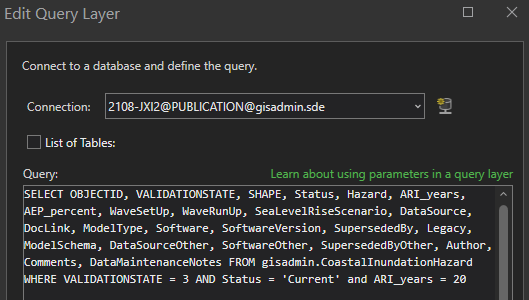
When I run this, I get the datasource missing red exclamation mark next to my query layers. When I go to the Source in the layer's Properties and view the query, the connection to my enterprise gdb is still showing there but the code syntax colours are not shown (only white text) (I also can't select the List of Tables - ERROR: The selected workspace is invalid):
If I select another database connection, then reselect my correct connection it restores the connection again:
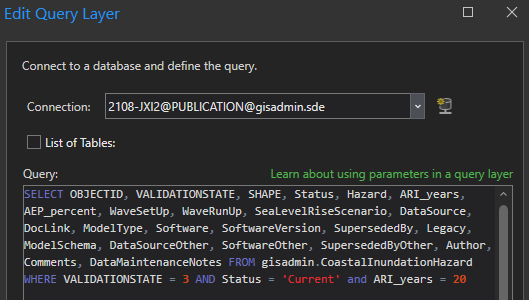
Why does it loose the database connection? I checked the CIM in an exported lyrx file for both and the connections seem to be the same.
Is there at least a way I can automate the connection re-connection with python instead of having to do the above for every layer?
Python code to update the displayField:
aprx = arcpy.mp.ArcGISProject("CURRENT")
for m in aprx.listMaps():
    for lyr in m.listLayers():
        if lyr.isFeatureLayer:
            cim_lyr = lyr.getDefinition("V2")
            cim_lyr.featureTable.displayField = "NAME"
            lyr.setDefinition(cim_lyr)
Thanks.
Julian.


