I'm putting together a project in Experience Builder and trying to put text and images in the same line in the same widget.
This is in a window that is being used as the Splash Screen.
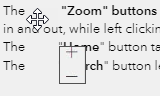
Right now I have text widget formatted so that a small image widget is right in place where I need it for an explanation, as shown here:

This works okay for the full screen desktop version where all of the text in the window can fit on one screen.
However, it becomes a problem when looking at the mobile version. There is too much content to fit on one screen length so a scroll bar is needed. Since I have two different widgets, scrolling down moves the text but the images stay in the same place and I have these weird misalignments where the images are in the wrong spots, taking them out of context:
Is there a way to smoothly embed small images into the text widget?
Or another widget I should be using where I can have images and text formatted side by side so that scrolling through the window results in both of them moving right along?


