Hi there. This is a follow-on question from my previous post. If you would like more context, please visit the post here:
https://community.esri.com/t5/python-questions/python-toolbox-issues-using-arcpy-select-by/m-p/1175370#M64581
I have previously created a python toolbox script that will create a fishnet and select the cells that intersect a boundary defined by a parameter. Cells that do not intersect the boundary are deleted.
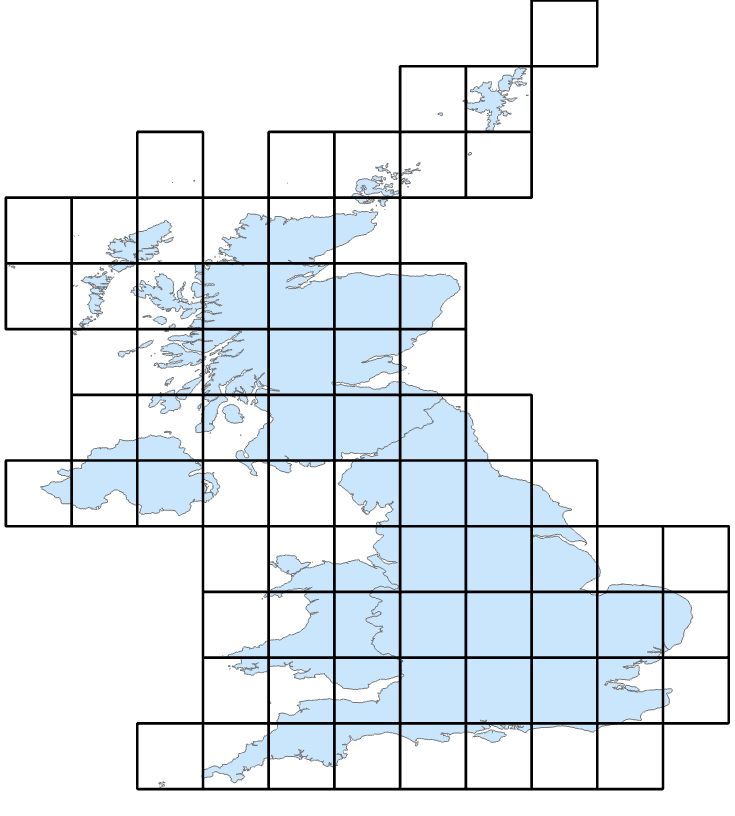
I now want to change the script so that the fishnet is not created in the script - instead it is defined as a parameter. Following this, I want the script to select the cells that intersect the boundary and then save them as a new layer file. param0 is defined as the boundary and param1 as the fishnet. The script looks like this:
# -*- coding: utf-8 -*-

import arcpy


class Toolbox(object):
    def __init__(self):

        self.label = "Toolbox"
        self.alias = "toolbox"

        # List of tool classes associated with this toolbox
        self.tools = [Tool]


class Tool(object):
    def __init__(self):

        self.label = "Tool"
        self.description = ""
        self.canRunInBackground = False

    def getParameterInfo(self):

        # Param 0 = UK Boundary
        param0 = arcpy.Parameter(
        displayName="Input Feature Class",
        name="Parameter0",
        datatype="GPFeatureLayer",
        parameterType="Required",
        direction="Input")
        param0.filter.list=["POLYGON"]

        # Param 1 = Fishnet
        param1 = arcpy.Parameter(
        displayName="GRID",
        name="Parameter1",
        datatype="GPFeatureLayer",
        parameterType="Required",
        direction="Input")

        params = [param0,param1]

        return params

    def isLicensed(self):

        return True

    def updateParameters(self, parameters):

        return

    def updateMessages(self, parameters):

        return

    def execute(self, parameters, messages):

        # Overwrite existing file of the same name
        arcpy.env.overwriteOutput = True

        # Reference Parameters
        input1 = parameters[0].valueAsText
        inputgrid1 = parameters[1].valueAsText

        # Convert inputgrid1 to feature class

        arcpy.management.MakeFeatureLayer(inputgrid1,"inputgrid1_lyr")

        # Select by Location

        arcpy.management.SelectLayerByLocation("inputgrid1_lyr", "INTERSECT", input1, None, "NEW_SELECTION", "NOT_INVERT")

        # Save to layer file

        arcpy.management.SaveToLayerFile(inputgrid1,"NewGrid.lyr")


        return
Upon completion of the script, I receive no errors. However, no new layer file (NewGrid.lyr) appears in my geodatabase. I have a feeling that the solution here is simple - so apologies in advance for my poor understanding of Python toolboxes. Is anybody able to offer any guidance?

