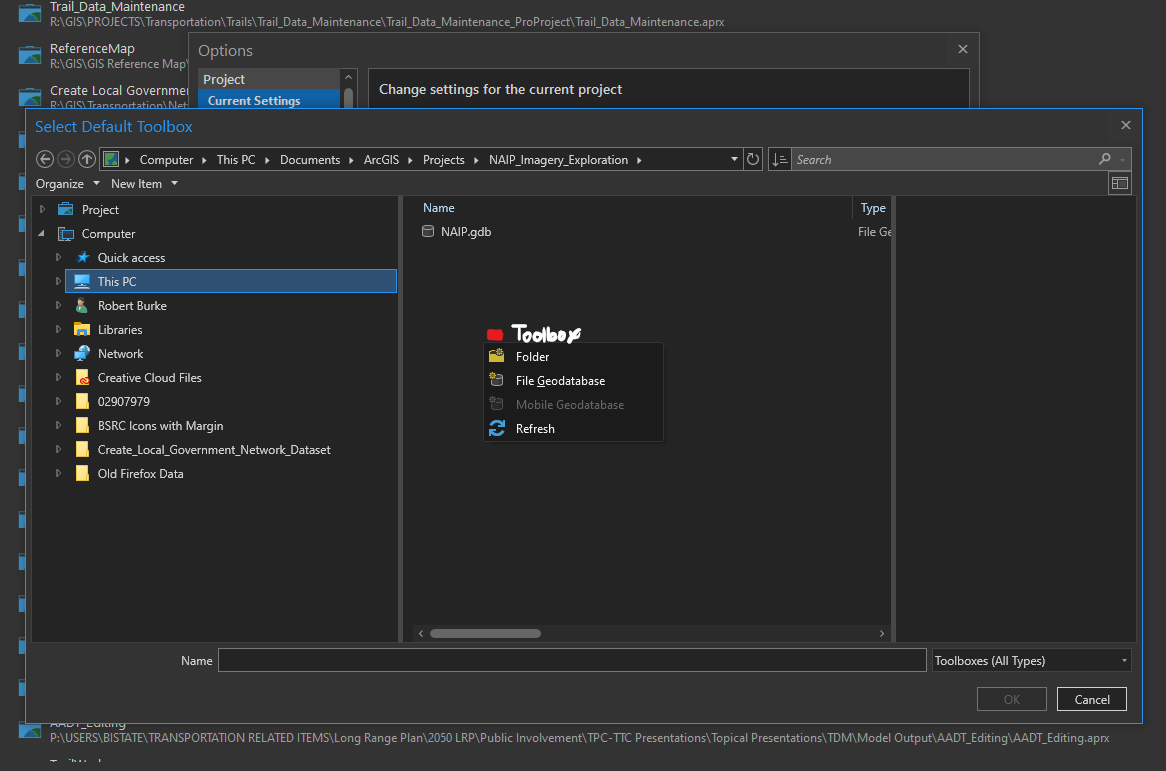
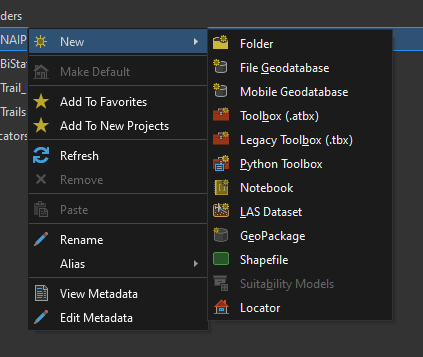
When setting the default home folder, geodatabase, and toolbox on a project, it's possible to create a new folder and geodatabase from the dialogs launched by the appropriate options, but not toolboxes.
Currently, it goes:
- cancel out
- save your options
- close the backstage
- find catalog view
- open catalog view
- navigate to the desired location
- create the toolbox
- close catalog view
- reopen the backstage
- reopen options
- launch the Select Default Toolbox box
- re-navigate to the new toolbox
- select it and try to save
- receive a 'The default toolbox does not exist' error (starting a support case on that now)
- cancel and close the application
- reopen the project
- reopen the backstage
- reopen options
- relaunch the Select Default Toolbox box
- re-navigate to the new toolbox
- select it and save.
Update: The error in step 14 cannot be resolved by restarting the application.
My proposed workflow:
- navigate to the desired location
- create the toolbox and save.
It would be even better if the same context menu available in folders in catalog view/pane were just implemented everywhere for consistency and ease of use.