Hello, I am using webpack to bundle my map application that uses ArcGIS API for JS 4.22.
In the output, many bundle files are created from @arcgis/core. (They are mixed with my other bundle.js files. And I have multiple entry points.)
It looks a bit messy, is there a way to let webpack generate these bundle files into a sub-folder of my JS folder?
Thanks!
Webpack version: 5.69.1 (I am not using arcgis-webpack-plugin.. Should I use it?)
File structure of the dist folder:
 Dist folder structure
Generated bundle files:

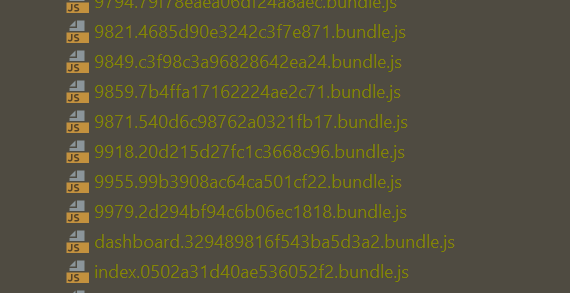
My webpack.prod.js file:
const path = require('path');
const common = require('./webpack.common');
const {merge} = require('webpack-merge');
// minimize css for prod mode
const MiniCssExtractPlugin = require('mini-css-extract-plugin')
const CssMinimizerPlugin = require('css-minimizer-webpack-plugin')

module.exports = merge(common, {
    mode: "production",
    devtool: false,
    output: {
        filename: 'js/[name].[contenthash].bundle.js',
        path: path.resolve(__dirname, 'dist'),
        publicPath:"",
        clean: true,
        assetModuleFilename: 'images/[name][ext][query]'
    },
    module: {
        rules: [
            {
            test: /\.css$/,
            use: [MiniCssExtractPlugin.loader, 'css-loader']
        }
        ]
    },
    optimization: {
        minimizer : [
            new CssMinimizerPlugin(),
        ]

    },
    plugins: [
        new MiniCssExtractPlugin({
            filename: "[name].[contenthash].css"
        })
    ]
})

