Hi,
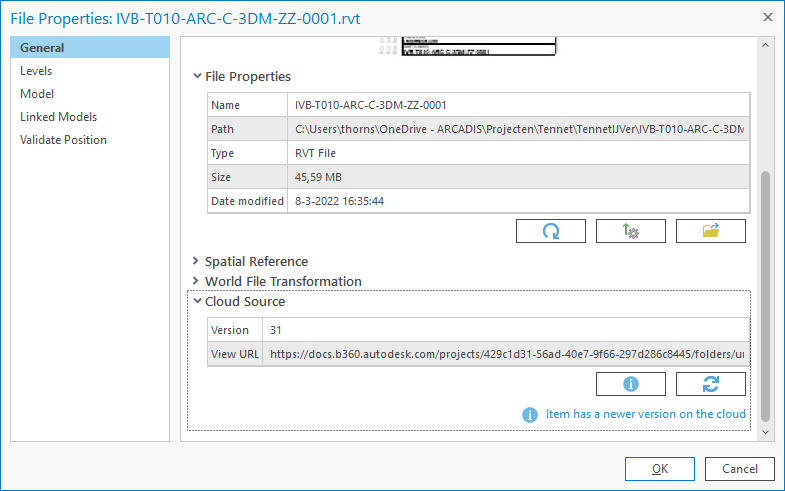
When I have loaded a rvt file to a scene in Pro via a BIM cloud connection, I am able to check if the rvt file is updated. If a newer version is available, I can download the source file.
But after downloading the version number is not updated and therefore ArcGIS Pro keeps saying a new version is available. Removing and adding again the rvt file via the BIM cloud connection does not solve this.
working with ArcGIS Pro 2.9.1