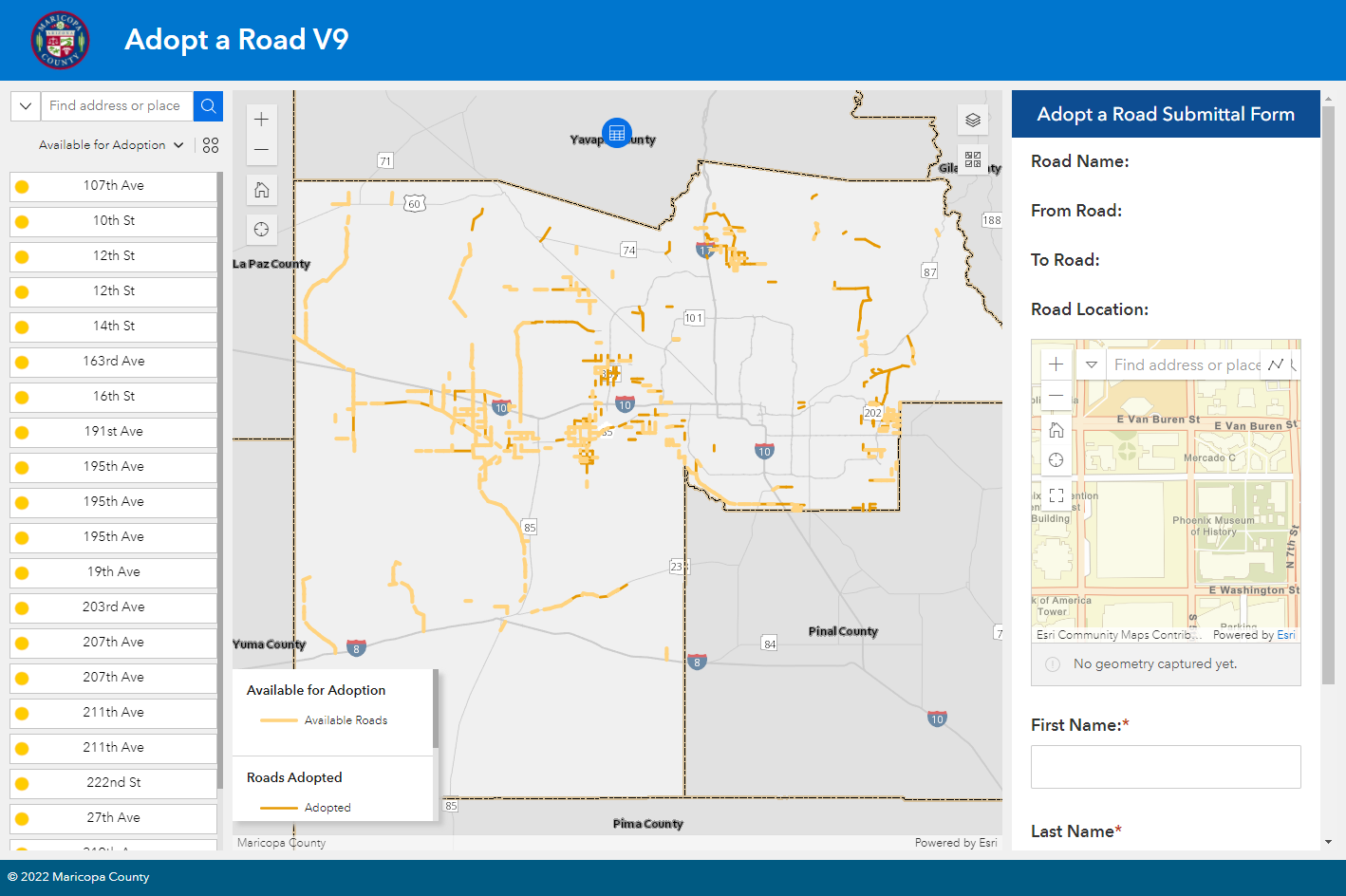
Here is a step-by-step Tutorial for creating a simple Web App using the ArcGIS Online version of the Experience Builder.
You can view this Tutorial in HTML format.
http://davidapps.net/exb/EXBTutorial
You may download the entire Tutorial as a single PDF File.
http://davidapps.net/exb/EXBTutorial.pdf
You will be using the following widgets.
- Map Widget
- List Widget
- Survey Widget
- Widget Controller
- Table Widget
- Search Widget
- Query Widget
Here is a preview of the Web App you will be creating:
https://experience.arcgis.com/experience/eace3c015bed4ddfbaf20f61a3ddbffe/
If you want to add Custom Widgets, you will need to use the Developer Edition of the Experience Builder.
You can view this Tutorial in HTML format.
http://davidapps.net/exb/EXBDevTutorial
You may download the entire Tutorial as a single PDF File.
http://davidapps.net/exb/EXBDevTutorial.pdf
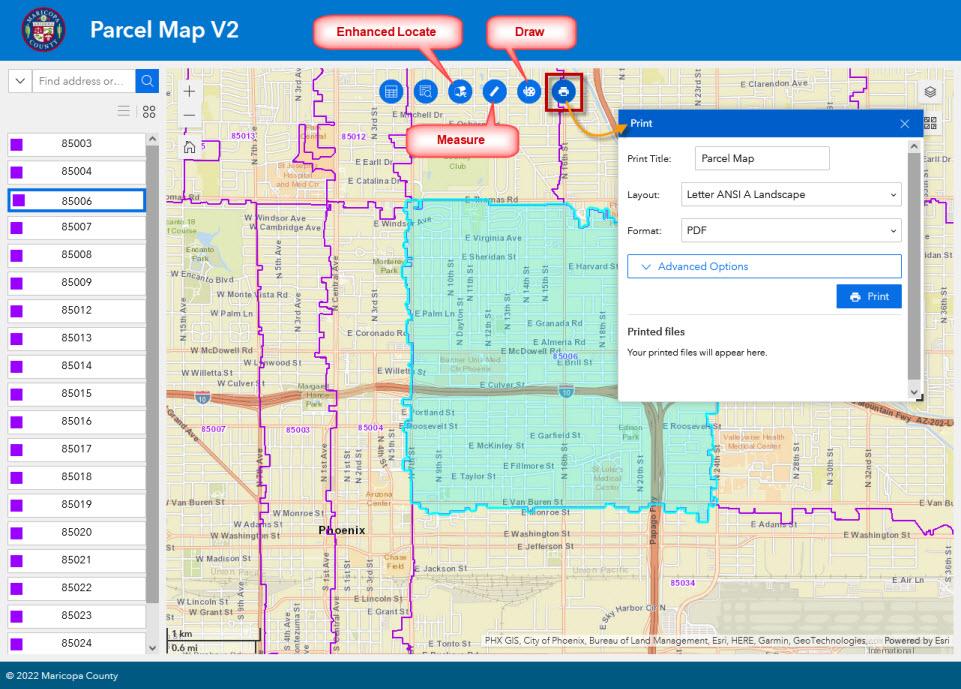
You will learn how to add the following Custom Widgets designed by Robert Scheitlin.
- Print Widget
- Enhanced Locate Widget
- Measure Widget
- Draw Widget
Here is a preview:
Note: You must use Firefox to open this.
http://davidapps.net/exb/ParcelMapV2
Best regards,
David Das







