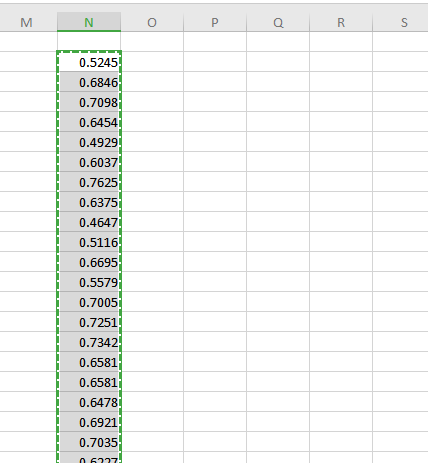
Hello. I have been trying to copy a whole column from a Microsoft Excel and paste it into another column in a shapefile in ArcGIS Pro with CTRL+V. However, every time I try to do so the values change, specifically losing decimal places.
Copied values in Excel:
Values pasted in ArcGIS (highlighted column):
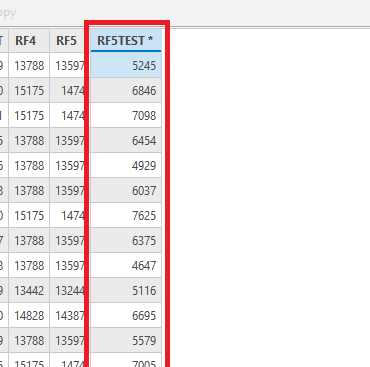
I have checked and re-checked the field's data types and it doesn't seem like that would be the problem. Importing similar values with decimal cases from other field using Calculate Field doesn't reproduce the problem, so I suppose the cause lies in the pasting process.
Does anyone have any idea of what might be causing this issue? All help would be appreciated.


