Hello,
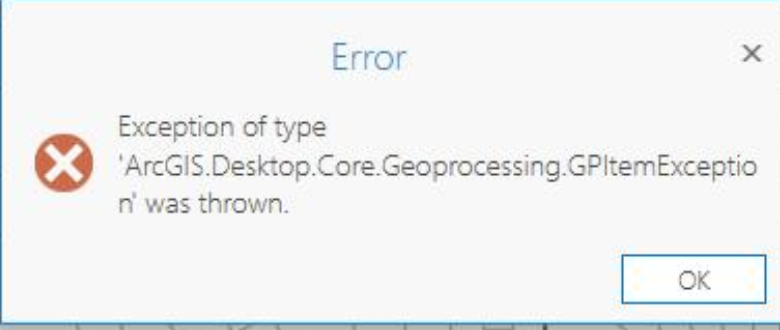
I am getting an error in ArcPRO when I try to add excel spreadsheet to ArcPRO I get this error 'exception of type 'ArcGIS.Desktop.Core.Geoprocessing.GPItemException' was thrown'. ArcPRO version 2.9. I just updated to 2.9, but my coworker isn't having these issues. Does anyone know how to fix this error? I am able to add .csv files @KailaBaumBach
You'll need to download and install the Microsoft Access Database Engine drive - specifically the 2016 Excel driver as it's needed in order for Excel files to work in ArcGIS Pro. Work with Microsoft Excel files in ArcGIS Pro—ArcGIS Pro | Documentation
Does Excel To Table (Conversion)—ArcGIS Pro | Documentation
fail as well?
Thank you. That worked.
Installing the driver worked for me too after getting the error with AGP v2.9.
Thanks!
I followed the steps and still got the same error at first. I had to mess with the worksheets to get them to load. it finally seemed to work when i got rid of any merged cells in the sheet i wanted to load. maybe that did it?
This can also be caused if the Excel workbook is encrypted with a password. The same error with be thrown if the xlsx has a password. The password must be removed from the workbook to be compliant with Desktop or Arcpy in AGP v3.0.
Your solution worked for me! Thank you.
This solution did not worked for me!, do you think there would be any other problem. I'm getting same error after installing database driver 2016.
Thank you!!
Akash,
Make sure you have the correct drivers installed based on the MS Office Install you have from the decision tree here - https://pro.arcgis.com/en/pro-app/latest/help/data/excel/prepare-to-work-with-excel-in-arcgis-pro.htm
Signed in members can post, follow updates, and more. New here? Register a free account.
Find useful guides, FAQs, and documents to help you navigate and make the most of Esri Community.