Hello, I have a google sheet with latitude/longitude columns that I added to ArcGIS Online via New Item > Google Drive > Google Sheets. I would like to have this update automatically, but it seems the only way to update it (sync it with the Google Sheets source) is through ArcGIS Online, clicking Update Data > Overwrite Entire Layer. How can I emulate that "Overwrite Entire Layer" functionality with python?
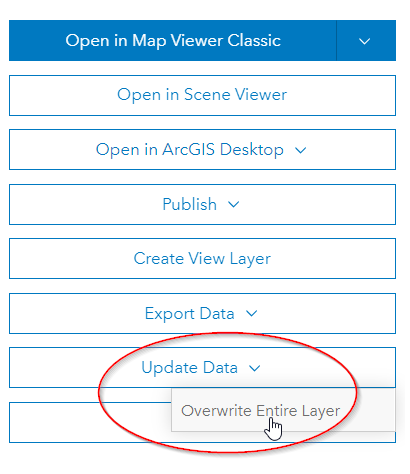
I've looked through the API documentation and various forum posts, especially the top reply in this post sounds very confident that there's a way to do it "quite easily!", but I can't seem to crack it. I've tried:
item = gis.content.get(item_id)
item.update(data=google_sheets_url)  # returns True, but does nothing
where 'google_sheets_url' is the destination URL of the link on the AGOL item page:
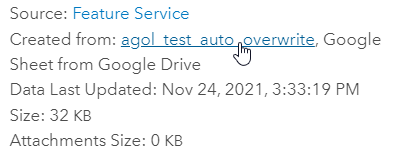
I've also tried the FeatureLayerCollection.manager.overwrite() method, but I doubt that's the way to do it.
I can imagine an ugly workaround where I schedule a download of the google sheet as a csv, and do item.update() or flc.manager.overwrite() using the file on my disk, or schedule some kind of truncate+append. But both of those involve a lot of seemingly unnecessary stuff in the background; it really seems there should be an easy way to sync with Google Sheets. I appreciate any help in advance!


