In my code (using API version 4.18), I'm using a WebScene and WebMap (toggling between 2d and 3d is supported) with many layers. I'd like for users to be able to edit, but not add to, features in one particular feature layer. However, I can't seem to be able to disable the "Add feature" button using addEnabled. Here's my code:
        window.locatesFeatureLayer = new this.FeatureLayer({
            url:
                "url to the feature layer in our portal"
        });

        editor = new this.Editor({
                view: view,
                container: editorContainer,
                layerInfos: [{
                    layer: window.locatesFeatureLayer,
                    addEnabled: false
                }]
       });
       editor.addEnabled = false; (//tried to set addEnabled here, too, but
                                           no luck
Here's what the Editor widget looks like when I run my code (it's in an Expand widget, as you can see):
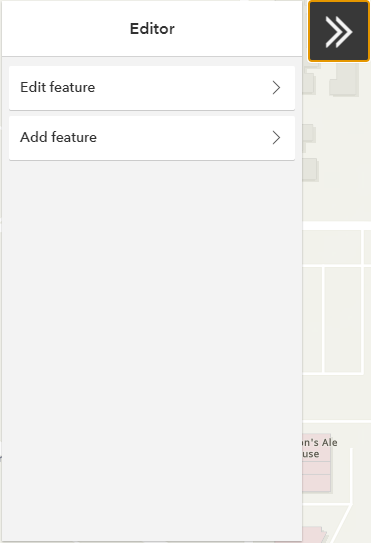
Even if I can disable "Add feature", that's not ideal, since the button is still visible in that case. What I'd really like is to hide or remove that button altogether.
My questions are,
- Why am I not able to disable the "Add feature" button?
- Is it possible to hide that button, in addition, or instead of, disabling it?
- If the above isn't possible, can I maybe make the Editor window small enough to only show "Edit feature", but then expand that window when the form for editing is visible (after the user has selected a feature to edit)?
- If none of the above is possible, can I implement my own editor widget, and if so, what available advice, direction, sample code, etc. is there for doing so?



