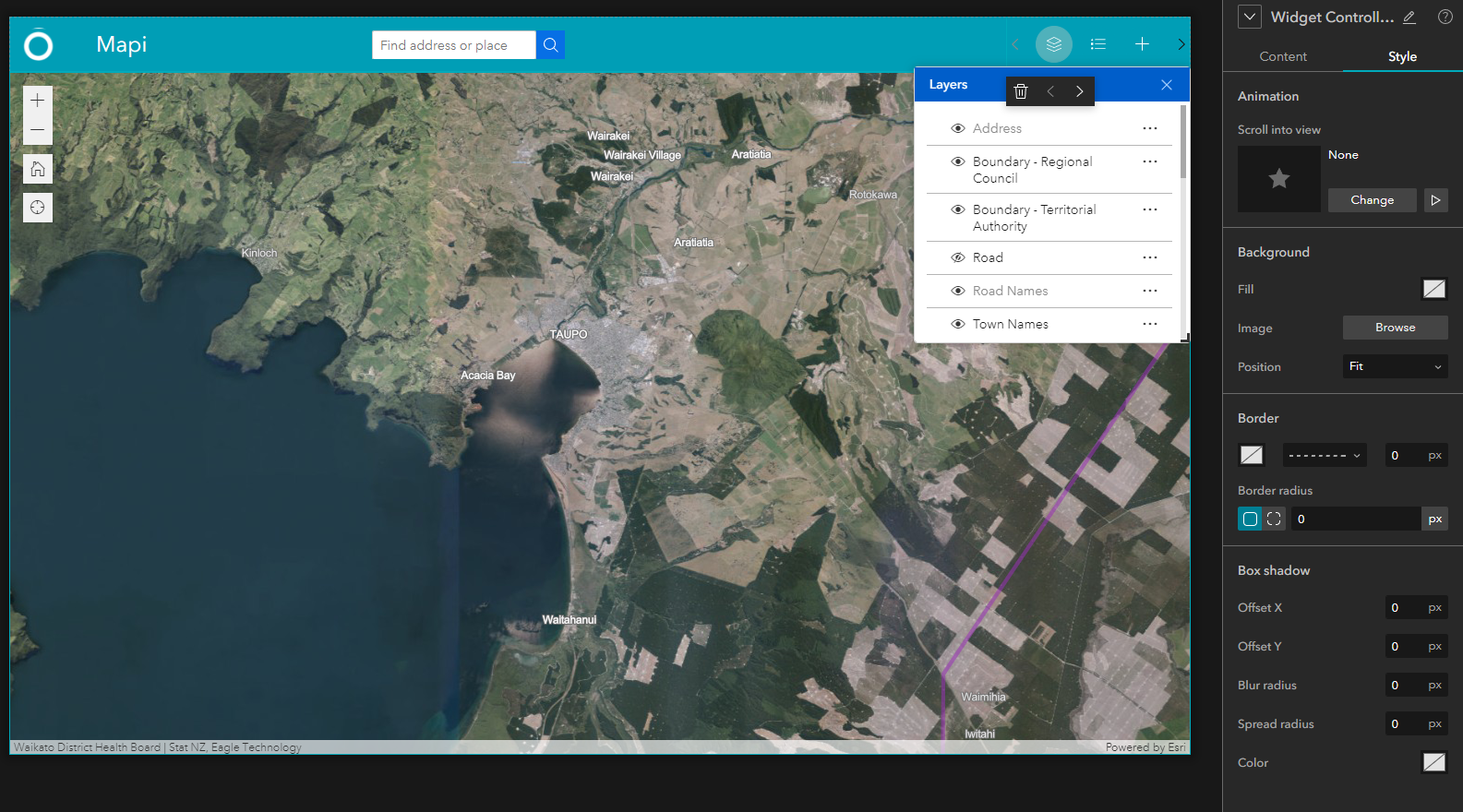
I have been trying to customise the look of Experience Builder with our organisation colours. I haven't found how to change the colour of the search glass or the header of the widgets (e.g. Layers). The default blue really clashes with our colours.
How do I do this??
Hi @TaupoDistrict_Council ,
You can go to the theme panel, choose the Organization Shared theme:
Or you can click the Customize button to custom the primary color of the Default theme:
Regards,
Shengdi
Thanks, just what I needed 🙂
Why is it though when you set the same hex color it still appears darker in the widget header.
Hi @ShengdiZhang
I've tried the same way in the latest version of Dashboards ... but the ability to change button colours doesn't seem to be there. I posted to the community a few weeks back but it hasn't had any answers. Any chance you know your way around Dashboards too (I was hoping it would be a pretty similar template). https://community.esri.com/t5/arcgis-dashboards-questions/how-to-change-button-colours/m-p/1269301
So I discovered a workaround to this problem.
Set your primary color.
Click the advanced color settings and locate your primary (labeled as Primary - 500).
Hover over the shade above it (Primary - 400), and make note of the hex code.
Now change your primary color to this new color and it should match better:
There is a blur effect on the widget popups that I would like to change (remove). Is it possible to do this?
Signed in members can post, follow updates, and more. New here? Register a free account.
Find useful guides, FAQs, and documents to help you navigate and make the most of Esri Community.