I want to create dynamic text in a layout calculated from an attribute value and I need it to use the German way to format numbers (i.e. comma for decimal places and dot as thousands separator).
When I use just the field value I can check the 'Thousands separators' option and ArcGIS Pro honours the system language settings (I presume).
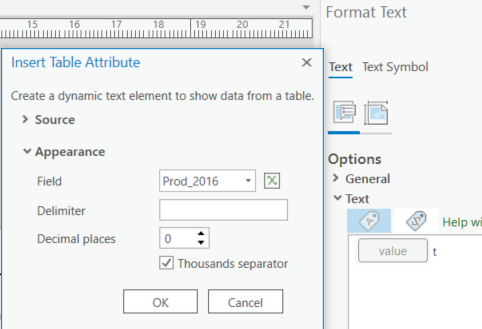
But when I use an expression that option is not available. And using the text function in Arcade with number formatting creates the English format.
Here is an example:
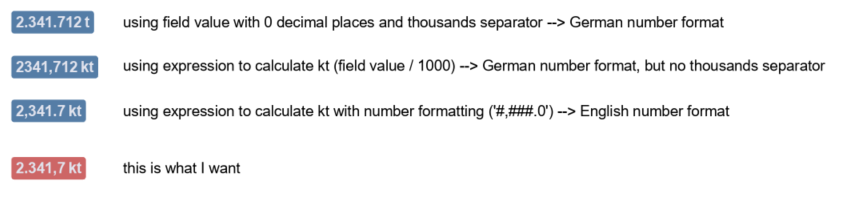
Is there a way to create an Arcade text/label using German number formatting (or other non-English formats)? I'll probably need this more often, not only in layout text but also for labels or annotations.
I know I could create a new attribute field, but I want to avoid that, as it would produce lots of redundant data over time.
(I'm currently using ArcGIS Pro 2.6.1 with English UI, system language is German)

