Hello.
Im trying to make something like windows 10 with a div.
When u click in the start up button, u will se a panel where u can choose icons.
Like this pic but with the map behind of that div.
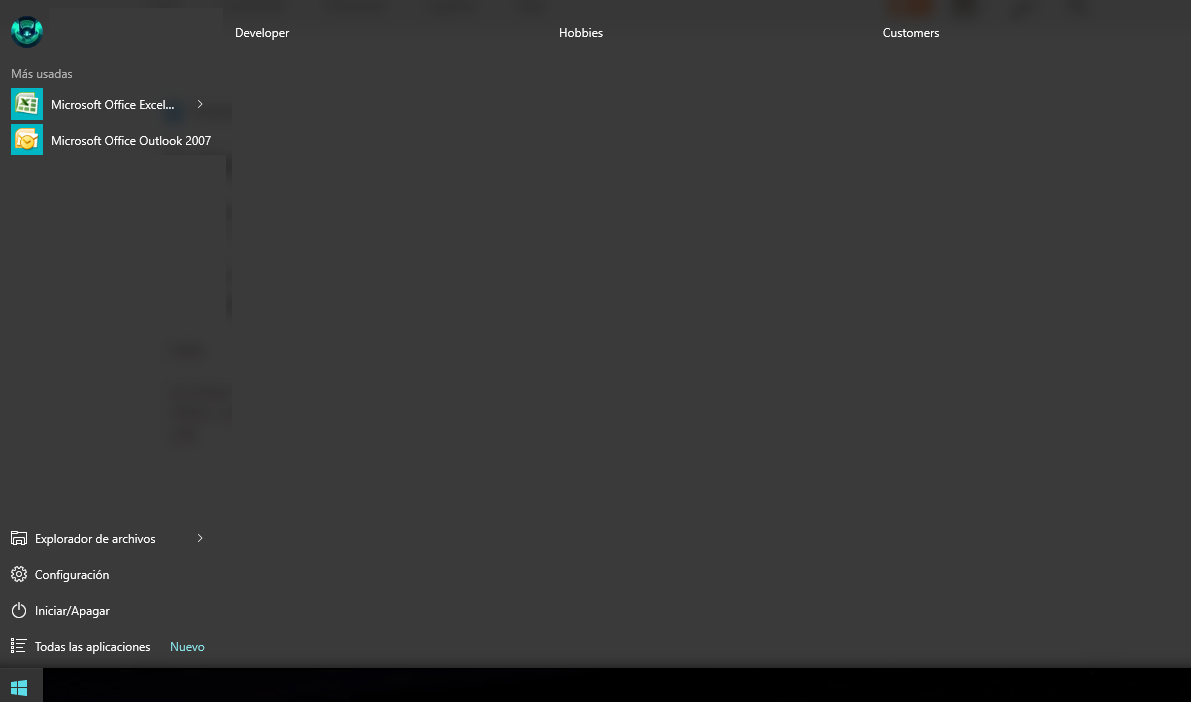
is there any idea how to do this? i left the code here.
<!DOCTYPE HTML PUBLIC "-//W3C//DTD HTML 4.01 Transitional//EN"
"http://www.w3.org/TR/html4/loose.dtd">
<html xmlns="http://www.w3.org/1999/xhtml" ng-app="appCHQ">
    <head>
        <meta http-equiv="Content-Type" content="text/html; charset=utf-8" />
        <title>Aplicacion de Prueba </title>
        <link rel="stylesheet" href="css/personalizado.css" />
        <link href="http://maxcdn.bootstrapcdn.com/bootstrap/3.3.5/css/bootstrap.min.css" rel="stylesheet" type="text/css">
        <link href="css/esri.css" rel="stylesheet" type="text/css">
    </head>
    <body class="bodyCustom">
        <div class="container pg-empty-placeholder mainCont">
            <div class="row contNav" data-pg-collapsed>
                <button data-toggle="collapse" data-target="#demo">Collapsible</button>
            </div>
            <div class="row contMap" id="divmapa" data-pg-collapsed>
                <div class="container" id="map" data-pg-collapsed></div>
            </div>
            <div class="row collapse widgets" id="demo">asdasdasd</div>
        </div>
        <script src="https://js.arcgis.com/3.15/"></script>
        <script src="js/libs/angular.js"></script>
        <script src="https://ajax.googleapis.com/ajax/libs/jquery/1.11.3/jquery.min.js"></script>
        <script src="http://maxcdn.bootstrapcdn.com/bootstrap/3.3.5/js/bootstrap.min.js"></script>
        <script src="js/map.js"></script>
    </body>
</html>
Thanks for the answer! 

