I have installed packages in a cloned environment using the Python Package Manager within ArcGIS Pro. The modules are showing up in the 'Installed Packages' section and everything looks fine:
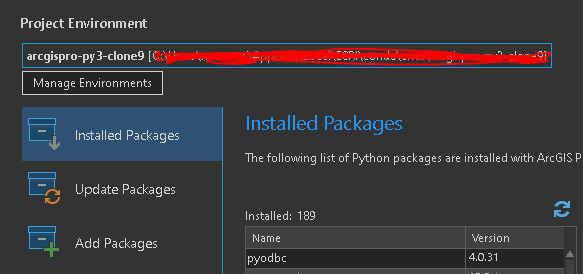
However, it's not finding the modules when I try to import in Pro:
import pyodbc
Traceback (most recent call last):
File "<string>", line 1, in <module>
ModuleNotFoundError: No module named 'pyodbc'
This is happening with all installed packages. They used to work fine before upgrading Pro. I have restarted Pro, double-checked that the correct cloned environment is initialized, and tried installing the packages in a new cloned environment after upgrading Pro.
Anyone else having this issue? Anything I can do to fix this?








