I found the docs on using Visual Studio and PyCharm but I wonder if anyone has had success with Visual Studio Code?
I set up launch.json and I can attach to ArcGISPro.exe but I am not sure what comes after that. I can set breakpoints in my .py file from the IDE but they are never hit.
I use F5 to run and wait for the status bar to go orange which indicates it's running. I must be very close, because I can see print() statement output in the IDE's Debug Console window.
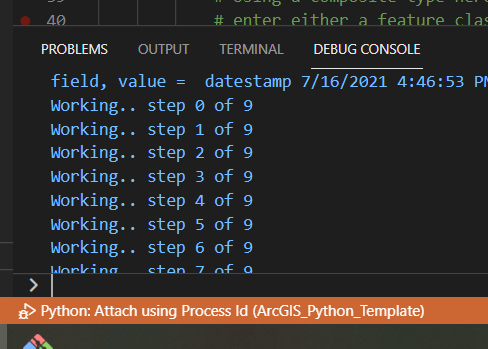
I am running ArcGIS Pro 2.8 on Windows 10 using the newest VS Code.
If you are interested in seeing the Python code, it's here
https://github.com/Wildsong/ArcGIS_Python_Template
My launch.json looks like this
{
  "version": "0.2.0",  "configurations": [
    {
      "name": "Python: Attach using Process Id",
      "type": "python",
      "request": "attach",
      "processId": "${command:pickProcess}"
    },
    {
      "name": "Python: Current File",
      "type": "python",
      "request": "launch",
      "program": "${file}",
      "console": "integratedTerminal"
    }
  ]
}Happy Friday!