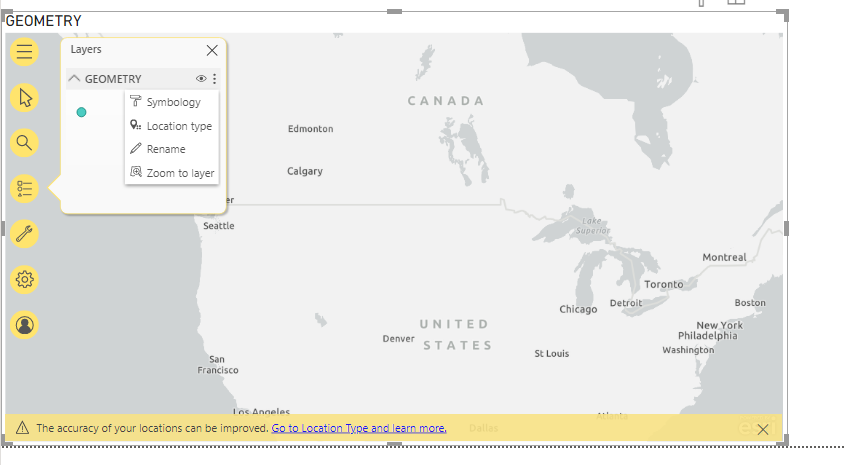
I started a report in Power BI for Desktop. I have an ArcGIS for Power BI account. I added an 'ArcGIS Map for Power BI' map to my report. When added, it asks you to log into your organizational account, which I have. I now have the following Screen:
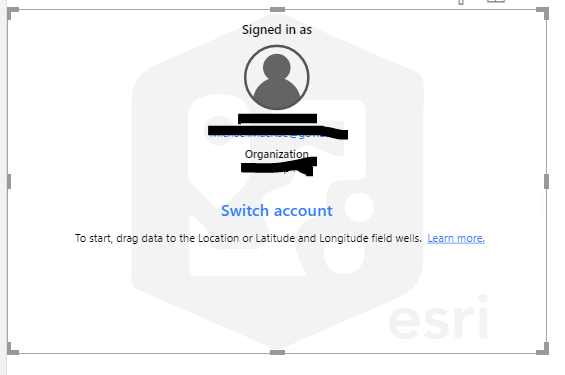
It appears that, in order to get the map to populate, one has to add some data from a Power BI datasource (drag a field to the 'Location' field under the 'Visualizations' panel) and then a map appears.
Instead, I want to start by adding some data from my ArcGIS Account which is possible from the Analysis Tools widget in the map
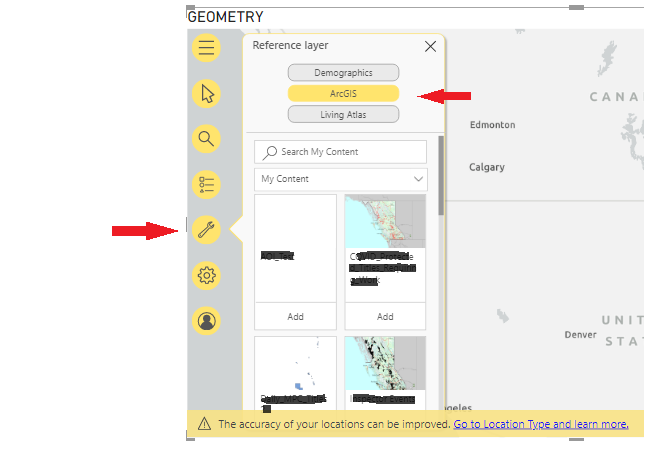
But in order to get a map to open, all I can figure is, you have to drag some data into the 'Location' field first. Is there any way to get a map to open without having to do this?
Note: I tested by dragging some data to the 'Location' field just to get the map to open, thinking I could just remove it from the map afterwards, but there is no option to remove that data layer from the map: