Hi.
I have made a Survey in S123 connect based on a current feature service, where the user should be able to change 3 different date fields (among other fields).
To make it more user friendly, i have made 4 buttons in an experience environment, where the date fields would be either today's date or null, as the 3 fields are connected (Reservation date, when the reservation will expire, and the date when the property is sold)
When there is a new reservation, the user will click the "Reservation" button, and the "Sold date" will become null, "Reservation" will be today's date, and "Reservation expires" will be today's date + 6 months.
My issue:
When the button is clicked, the following is hard coded into the Survey 123 link:
https://survey123link?mode=edit&globalId={globalID}&field:Status=Reserved&field:Solddate=null&field:Reservation={Today}&field:ReservationExpires={Today_6Month}&hide=field{someFields}
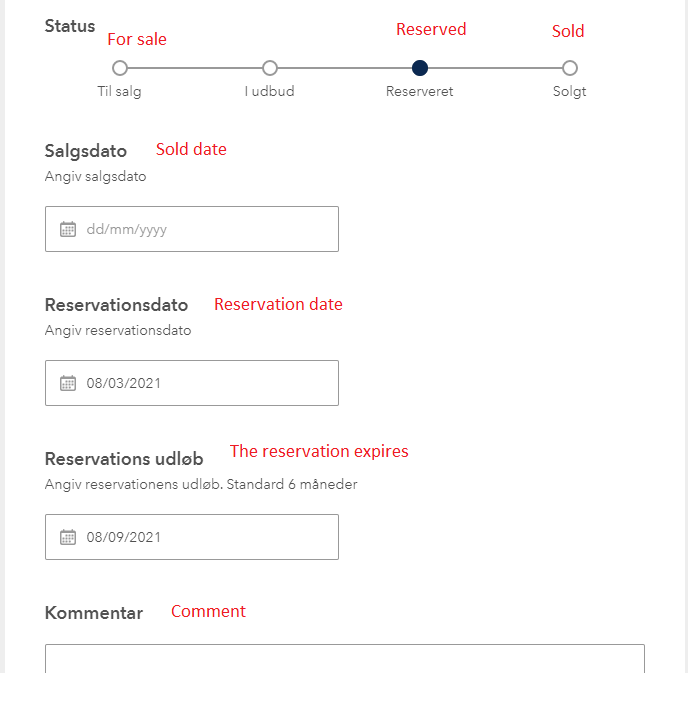
This hardcoded link results in the following survey, where the "Solddate" would become null (Which works as intended): - Translated from Danish (Sorry)
However, when you click the submit button i get the following error:
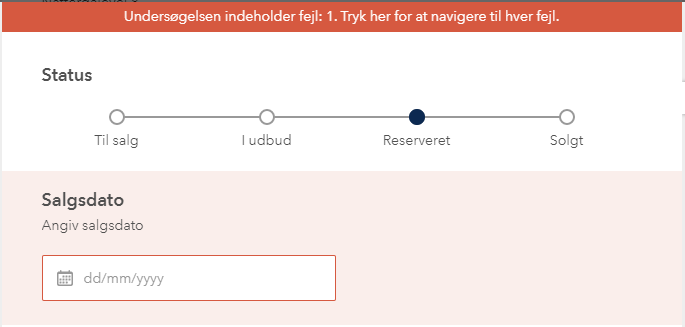
Which i would roughly translate into: "The survey contain errors: 1. Click here to navigate to each error".
So for some reason it is not possible to send Null data to a datefield? Does anybody know why? - The field(s) can contain Null values in the database. The 3 date fields all have the bind::esri:fieldType of esriFieldTypeDate in the S123 excel spreadsheet.



