Hi -
I shared a style as a "web style" here:
https://kirkktx2.maps.arcgis.com/home/item.html?id=6252a9f0a5714bdab41904ad686a3117
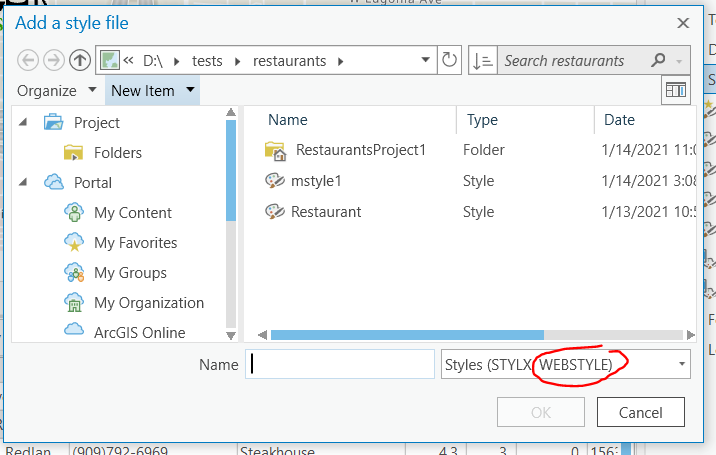
When I right click on the Styles folder in catalog, and choose "Add> Add Style", I'm presented with this dialog:
How do I add a url with this dialog? (It seems like it's expecting a file, not a url.)
Thanks, Kirk
Hello Kirk!
I was looking over the link you posted above and see this is style is coming from ArcGIS Online. In the documentation below there is a workflow listed on how you can add this style file directly from ArcGIS Online under the Add styles from ArcGIS Online and ArcGIS Enterprise section:
Hopefully this helps!
Best,
Amber
Hi Amber -
Cool!
Just to confirm: if symbols in the web style are updated, the next time the user loads an aprx with a layer whose dictionary renderer references the web style the updated symbols should appear on the map, right?
Signed in members can post, follow updates, and more. New here? Register a free account.
Find useful guides, FAQs, and documents to help you navigate and make the most of Esri Community.