Hello. We are using Workforce in ArcGIS for Enterprise 10.8.1 (on-premise). We have migrated several classic Workforce projects to the new Workforce (using the migrate button and renaming), and migrated assignment data using the Python script in a Python command shell. We noticed that supplemental feature services (e.g., city boundary, storm water network, etc. hosted on the Enterprise Server) added successfully to the classic Workforce project web maps (dispatcher and worker), did not carry over in the migration to the new projects' web maps. Thus, we started adding in those services (again from Server as this worked in the classic Workforce), beginning with the Worker web maps. When the Worker map was saved, a warning was issued and the Create Offline Map Area button was disabled. Removal of the supplemental service(s) did not restore the functionality and remove the warning. The Server services were checked and the sync option enabled, services saved and restarted, and added to the web map. Same behavior. Though the Server is federated with Portal, we thought that maybe with the new Workforce, services have to be published and hosted on Portal. We added a sync enabled service, hosted on Portal, to a new worker map. Same warning and offline disable behavior, even after removing the Portal hosted layer.
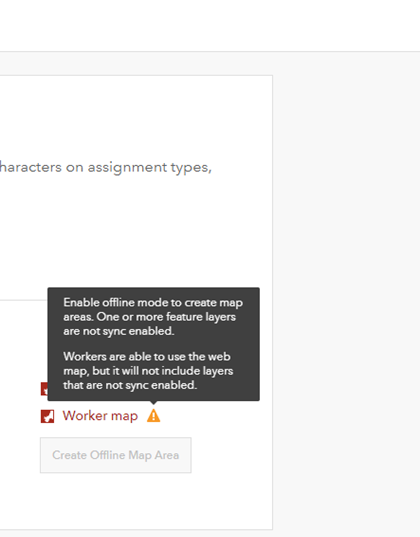
It appears that once a supplemental service is added, the offline feature is disabled, and remains so even in the service is removed. There seems to be no way to return the app to its initial state. Screen shot below of the warning.
We are hesitant to continue, would like to understand if adding supplemental layers in the new Workforce app is not supported, and if not, how can we restore the project web maps to their former state so we can access the offline capability. We don't know if this is a bug. Any help would be appreciated. Thanks in advance, Jay