Hello,
I have a couple of questions related to the Layers to Repoint functionality in Workflow Manager Pro.
1. In ArcGIS Desktop Workflow Manager, I can set a Job Type to use a particular map and also set which layers will switch to the Job's version (layers to edit) and which will stay pointed to the original version (reference layers). When I set it to use a Pro map, that feature is unsupported.
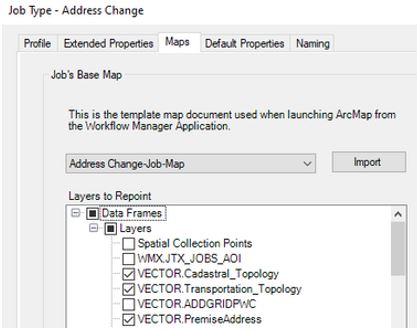
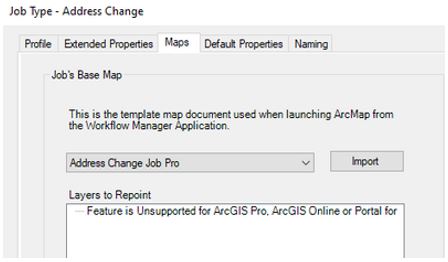
I think I may have found a temporary back door workaround for this. If I first set an ArcMap MXD as the base map, repoint the layers and click Apply, then change to an identical Pro version of that map, the repointing seems to stick. Only checked layers switch to the job version, with one notable exception - Topology. Also, this workaround won't work for us much longer as we will be leaving ArcGIS Desktop in less than a year.
Highlighted layers listed on Layers to Repoint screenshot above. The list is much longer, but you get the point. Checked layers switch to job version (except topology), unchecked layers don't.
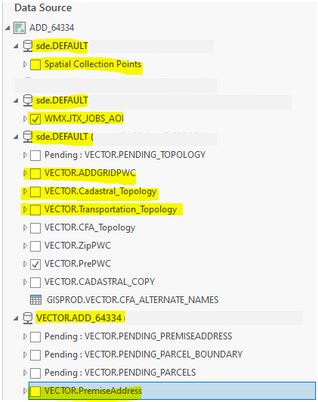
2. No matter what I've tried so far, I have been unable to get Topology layers to switch to the job version. They stay pointed at the original version and users have to remove and re-add these layers manually. I must be missing something. Is there a way to set these layers to switch?
We are currently using ArcGIS Pro 2.6.3.
Thanks! Lisa
