Unique Layer ID Assignment
When publishing a service, it is now possible to allow the assignment of unique numeric IDs. In previous versions of Enterprise, these layer IDs were automatically assigned when publishing, using the layer order in the Contents pane to sequentially number layers from 0 onwards. This automatic assignment of IDs based on the layer order in the contents pane has the potential to cause issues when re-ordering or adding layers and overwriting existing services. Even if you change nothing aside from moving a single layer from the top to the bottom of the contents window, this then re-numbers all the layers in the service the next time you overwrite a service and causes disconnects in any web applications or components consuming that service.
The benefits of unique layer ID assignment is that now you can assign a static ID to a layer that will persist regardless of re-ordering of content, or the addition or deletion of content. There are still constraints that need to be understood, which ill discuss later.
This can be enabled in ArcGIS Pro at the time of publishing by selecting on the contents pane → right click on the map icon → map properties → general → “Allow assignment of numeric IDs for sharing web layers”
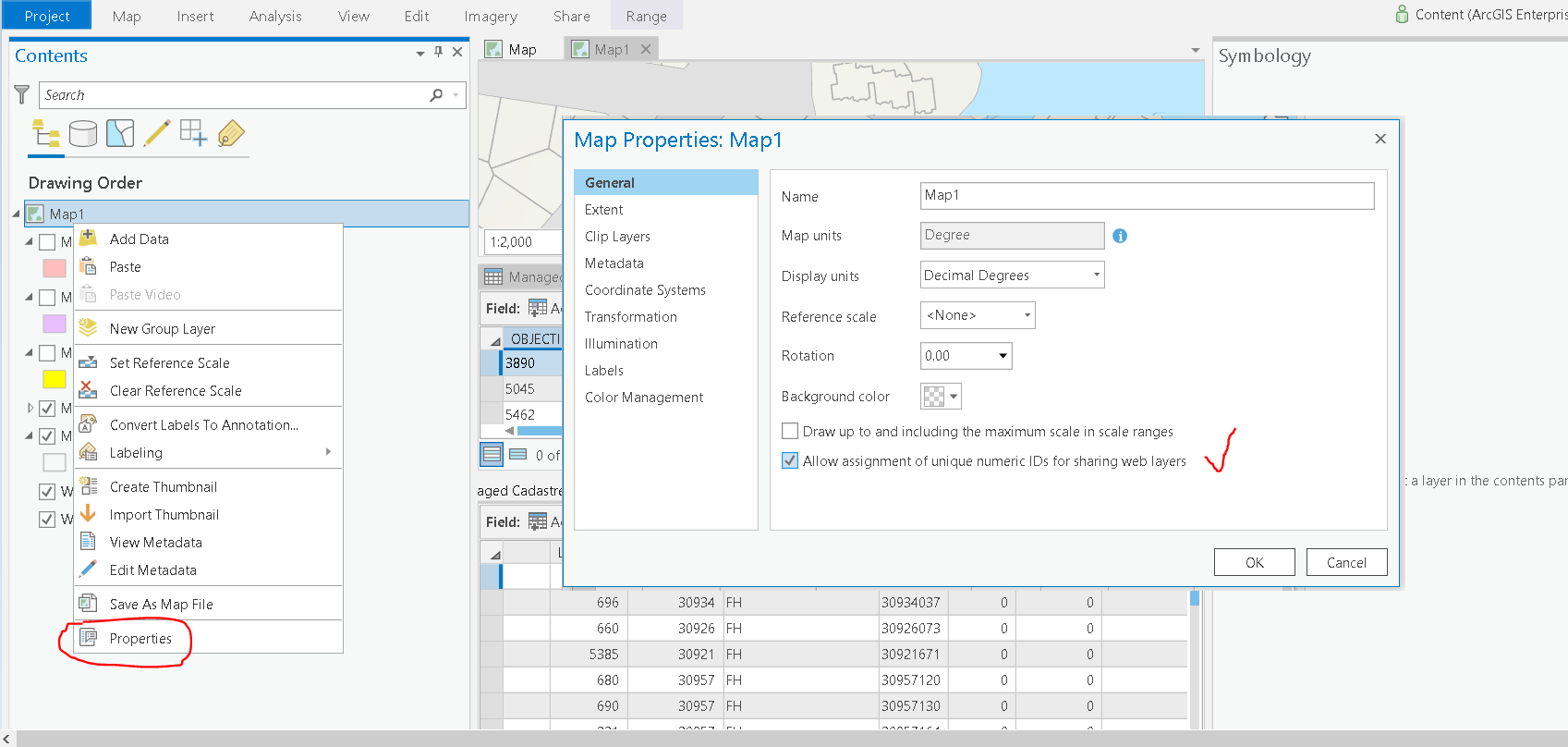
Once this has been activated, each layer will be assigned a unique ID (visible in the layer properties).
After this setting is configured, the layer order in the contents pane becomes irrelevant and the published service will order the layers based on their unique IDs. This is important to understand when setting up and visualizing your data for publishing.
Example configuration
One way to utilize this functionality is to, as a standard, sequentially number your layers by an order of magnitude of 10 eg. 0, 10, 20, 30
This allows space for the addition of layers at a future point in time, to be able to slot them in between the existing layers by assigning them 15 or 25 (for example).
It also allows for the retirement of layer IDs (eg. 20), without that layer ID then being re-assigned to another irrelevant layer which could cause issues for any downstream configurations that are consuming that layer ID (eg. a web application/report/insights dashboard)



