Our org has been using Map Viewer Classic, and labeling features using Garamond (not a default font) is nothing new for us. Take our offices feature layer for example - I can open it with Map Viewer Classic and see Garamond listed as an available font (this is available because I installed it...).
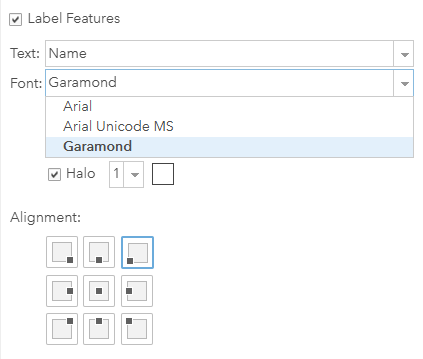
If I open the same layer in the new Map Viewer, the labels revert back to Arial, and Garamond is no longer available as a font choice for labels.
HOWEVER
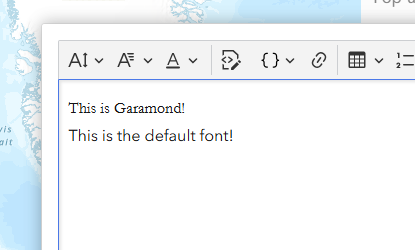
If I add this HTML snippet to the pop up (in Map Viewer),
<p>
    <span style="font-family:Garamond;">This is Garamond!</span><br>
    This is the default font!
</p>Garamond shows in the pop up. This tells me that Garamond is available, but it's not populating correctly?
What do I need to do in order to make Garamond available in Map Viewer as a font choice for labels?
Thanks
-Mike
