Hello,
we need to change the server of our ArcGIS Enterprise 11.3 single machine deployment because the Windows Server installation is corrupt.
I have created a backup with WebGIS DR and successfully deployed it to the new server.
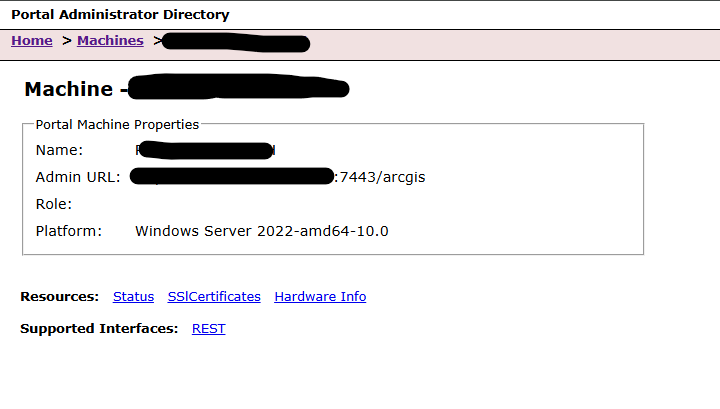
However, I noticed that the Admin URLs of Portal, as well as ArcGIS Server and DataStore have changed. Before, they were pointing to SERVERNAME:6443 / :7443 / :2443. After applying the backup the servername has been replaced by the public facing URL (Web Context Url).
The public facing URL does not support the use of ports like :6443, so the new deployment is not working. I was able to edit the values for ArcGIS Server and Datastore but I have found no way to change the Admin URL for Portal (see attachment).
Is there a way to change this in ArcGIS Enterprise 11.3 or anything else I can do when creating the WebGIS DR backup?