ArcGIS Pro; File Geodatabase
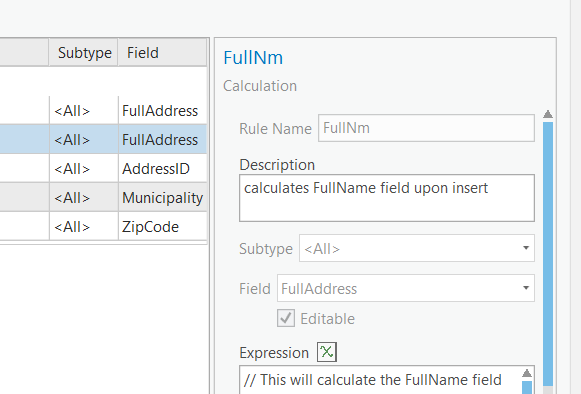
I've added several attribute rules to a point feature class, and fat fingered the field name for one of the rules. (See screen cap below). I need to change the Field value to the correct field name, but everything is grayed out and I can't.
Can you edit an attribute rule once it is in place or do I need to delete it and re-enter it?
edited to add: Just took a look at Alter Attribute Rule—Data Management toolbox | Documentation but there is no parameter for field name...
Chris Fox