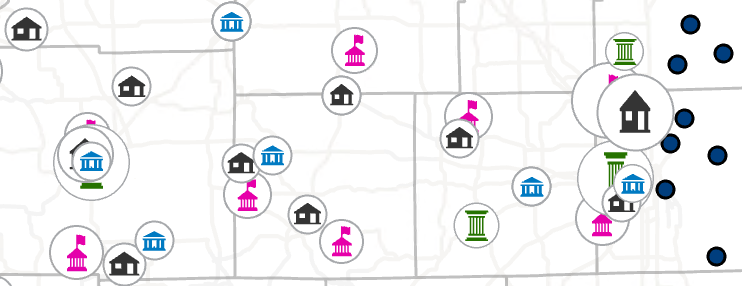
Hello all,
How can I export the clustered data as Points from ArcGIS Pro after I use the Feature Layer - Aggregation - Clustering? https://pro.arcgis.com/en/pro-app/3.2/help/mapping/layer-properties/work-with-clustered-feature-layers.htm
I tried reproducing the layer with Find Point Clusters https://pro.arcgis.com/en/pro-app/latest/tool-reference/big-data-analytics/find-point-clusters.htm ,then Dissolve, then Feature To Point. https://community.esri.com/t5/arcgis-pro-questions/merging-multiple-points-into-one-point-depending/td-p/1226905 and this gets me really close. But not the same as when I use the Clustering for the display. I tried different search distances in Find Point Clusters but Clustering from the Feature Layer ribbon just looks better and seems smarter.
Why would I want to export the center point of these clusters? Well, I have 4 layers that I'm clustering for symbology. And they overlap. So I wanted to use the Cartography - Disperse Markers tool https://pro.arcgis.com/en/pro-app/latest/tool-reference/cartography/disperse-markers.htm . I figured if I could get all of the center points of the clusters from my 4 layers, I could merge them into one Point layer and run that Disperse Markers tool.
Any ideas for other work arounds?
Thank you!
Signed in members can post, follow updates, and more. New here? Register a free account.
Find useful guides, FAQs, and documents to help you navigate and make the most of Esri Community.