Hi, I am working on comparing some polygon data and came across a symbology question I have run into a couple times regarding formatting all symbols.
In this case I'll be direct with what I am trying to do right now, I want to symbolize my polygons by a field which has given me 79 classes, and instead of a solid fill, I want to hatch fill with whatever random color from the color scheme. I don't see a way to set it so that all the classes can be switched to hatched fill instead of solid fill.
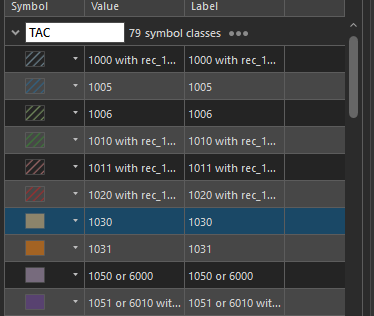
As you can see, I can go into the individual symbology for each class and switch it to hatched fill, but I have been unable to find any way to do it for all classes.
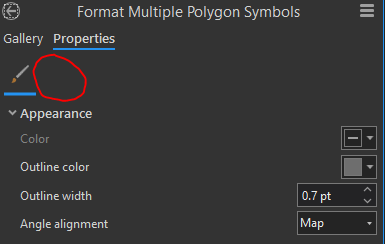
In the format all symbols, where you would normally go to adjust the layers is just not an option.
It's probably not a very common thing for most workflows, but I have now run into wanting to access the layers or structure tabs for formatting all symbols when symbolizing by Unique Values a couple times and am wondering if there is a way to do it that I am just missing.
I am on Windows 10, ArcGIS Pro 3.1.4. Thanks




