Good morning, I'm pretty sure this is an issue for our on-site IT IDP provider and not Esri, but wanted to post here anyway.
Running Enterprise Portal 10.9.1. We had our Enterprise configured for SAML sign-in via our Org's IDP several years ago and before I got here. My typical approach to managing new users for this sign-in type was to add their org email like "username@org.email" then Portal defaults the username as "username", and everything is happy. The user's first and last name gets updated based on the SAML response after first login and their username in the portal is of the form "username".
Fast forward now, our IT is using a new IDP management system and I am registering new Portals (11.1) in that system. I follow the Esri Enterprise instructions and our IT instructions for registering the IDP and SP on both sides, and then add users as above.
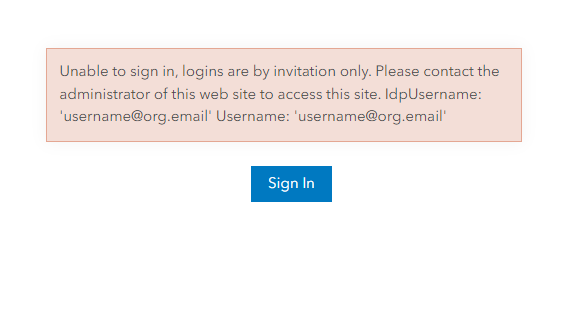
But, when I try to sign in as the users, I get this error below. If I create the user in Portal with the username format of "username@org.email", then the SAML SSO works as expected. But if the Portal user is created with the "username" username form, then the error occurs.
This seems like an issue with the SAML Attribute Mapping and I have submitted a ticket for our internal IT.
Is it normal in Portal for usernames to use the form "username"? Reviewing Community here, it seems more common that folks are using "username@org.email" form.
I don't have a strong preference, because users don't type in their username into Portal to use SSO anyway, just looking for consistency.