I used to have a "Show Configuration Info" button on my Water Utilities Network Editing toolbar, similar to the matching button on the Attribute Assistant toolbar. The attribute assistant one lets me modify the config file for AA, but I need to be able to select or modify the config file for the Network Editing toolbar. Where has this button gone?

I know I can manually browse to the config file and edit it directly, but can't switch between different files from within the GUI like I used to be able to do.
The dialog it opened was also similar to the Attribute Assitant config dialog, but referenced the Water Utility config file instead.
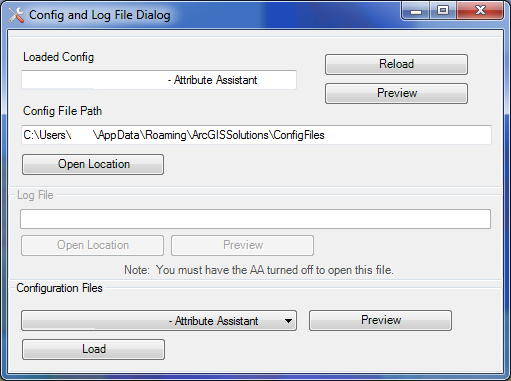
Can someone tell me where this button has gone, and how to get it back? Or alternatively how to switch between different config files easily from within Arcmap? Or did I just imagine this button here?  It is also not listed on the reference site for the toolbar, so maybe I dreamed it was there?




