Hello,
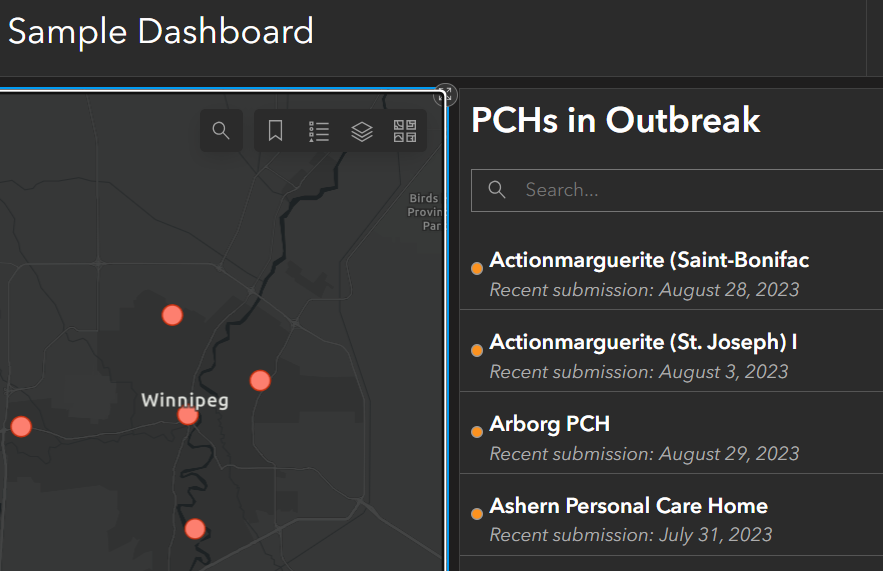
I am configuring a dashboard where I used a list widget and would like to display the right icons besides the listed features.
I have used arcade coding to get the output of this list which is derived from one of the feature layers used in the web map present in my dashboard. I am aware that to get the list icons, one can simply choose Configure>List>Line item icon>Symbol. But this way, my list widget is not able to draw the right symbology of the feature layer (red colored circles) as shown in the screenshot below instead it just draws the default ArcGIS symbology for point geometry (reddish-orange-colored circles).
Is there a way to directly the fetch the symbology/icon from the feature layer into the list widget, maybe through advanced formatting or so?