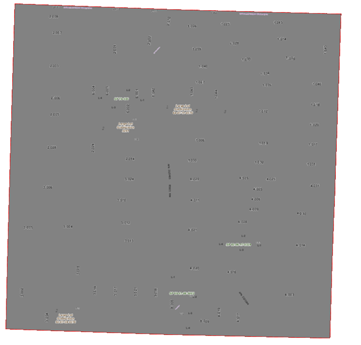
I am looking for a solution to a problem I have found. I want to clip my map to the shape of a feature that is either selected or a layer created with just one feature via query. I have found that when using feature.shape.clone() and then setting my map extent to that of the feature. The extent is slightly larger than the feature. If you open the Map properties in pro and clip to feature it will give a different extent.
Here is the code used.
LayoutProjectItem layoutItem <SPAN class="operator token">=</SPAN> Project<SPAN class="punctuation token">.</SPAN>Current<SPAN class="punctuation token">.</SPAN>GetItems<SPAN class="operator token"><</SPAN>LayoutProjectItem<SPAN class="operator token">></SPAN><SPAN class="punctuation token">(</SPAN><SPAN class="punctuation token">)</SPAN><SPAN class="punctuation token">.</SPAN><SPAN class="token function">FirstOrDefault</SPAN><SPAN class="punctuation token">(</SPAN>item <SPAN class="operator token">=</SPAN><SPAN class="operator token">></SPAN> item<SPAN class="punctuation token">.</SPAN>Name<SPAN class="punctuation token">.</SPAN><SPAN class="token function">Equals</SPAN><SPAN class="punctuation token">(</SPAN><SPAN class="string token">"Standard"</SPAN><SPAN class="punctuation token">)</SPAN><SPAN class="punctuation token">)</SPAN><SPAN class="punctuation token">;</SPAN>
Layout layout <SPAN class="operator token">=</SPAN> layoutItem<SPAN class="punctuation token">.</SPAN><SPAN class="token function">GetLayout</SPAN><SPAN class="punctuation token">(</SPAN><SPAN class="punctuation token">)</SPAN><SPAN class="punctuation token">;</SPAN>
MapFrame mapFrame <SPAN class="operator token">=</SPAN> layout<SPAN class="punctuation token">.</SPAN><SPAN class="token function">FindElement</SPAN><SPAN class="punctuation token">(</SPAN><SPAN class="string token">"FrameName"</SPAN><SPAN class="punctuation token">)</SPAN> <SPAN class="keyword token">as</SPAN> MapFrame<SPAN class="punctuation token">;</SPAN>
<SPAN class="comment token">//Get map </SPAN>
<SPAN class="keyword token">var</SPAN> mapFrameMap <SPAN class="operator token">=</SPAN> mapFrame<SPAN class="punctuation token">.</SPAN>Map<SPAN class="punctuation token">;</SPAN>
<SPAN class="comment token">//Get the specific layer you want from the map</SPAN>
<SPAN class="keyword token">var</SPAN> lyrOfInterest <SPAN class="operator token">=</SPAN> mapFrameMap<SPAN class="punctuation token">.</SPAN><SPAN class="token function">GetLayersAsFlattenedList</SPAN><SPAN class="punctuation token">(</SPAN><SPAN class="punctuation token">)</SPAN><SPAN class="punctuation token">.</SPAN>OfType<SPAN class="operator token"><</SPAN>FeatureLayer<SPAN class="operator token">></SPAN><SPAN class="punctuation token">(</SPAN><SPAN class="punctuation token">)</SPAN><SPAN class="punctuation token">.</SPAN><SPAN class="token function">FirstOrDefault</SPAN><SPAN class="punctuation token">(</SPAN><SPAN class="punctuation token">)</SPAN><SPAN class="punctuation token">;</SPAN>
<SPAN class="keyword token">using</SPAN> <SPAN class="punctuation token">(</SPAN>RowCursor jCursor1 <SPAN class="operator token">=</SPAN> ExtentFeatureClass<SPAN class="punctuation token">.</SPAN><SPAN class="token function">Search</SPAN><SPAN class="punctuation token">(</SPAN>queryFilter<SPAN class="punctuation token">,</SPAN> <SPAN class="keyword token">true</SPAN><SPAN class="punctuation token">)</SPAN><SPAN class="punctuation token">)</SPAN>
<SPAN class="punctuation token">{</SPAN>
<SPAN class="keyword token">while</SPAN> <SPAN class="punctuation token">(</SPAN>jCursor1<SPAN class="punctuation token">.</SPAN><SPAN class="token function">MoveNext</SPAN><SPAN class="punctuation token">(</SPAN><SPAN class="punctuation token">)</SPAN><SPAN class="punctuation token">)</SPAN>
<SPAN class="punctuation token">{</SPAN>
<SPAN class="keyword token">var</SPAN> RTSNUM <SPAN class="operator token">=</SPAN> <SPAN class="string token">"RTSNumber"</SPAN><SPAN class="punctuation token">;</SPAN>
<SPAN class="keyword token">using</SPAN> <SPAN class="punctuation token">(</SPAN>Feature feature <SPAN class="operator token">=</SPAN> <SPAN class="punctuation token">(</SPAN>Feature<SPAN class="punctuation token">)</SPAN>jCursor1<SPAN class="punctuation token">.</SPAN>Current<SPAN class="punctuation token">)</SPAN>
<SPAN class="punctuation token">{</SPAN>
<SPAN class="comment token">// Process the feature. For example...</SPAN>
<SPAN class="keyword token">var</SPAN> pin <SPAN class="operator token">=</SPAN> feature<SPAN class="punctuation token">[</SPAN>RTSNUM<SPAN class="punctuation token">]</SPAN><SPAN class="punctuation token">.</SPAN><SPAN class="token function">ToString</SPAN><SPAN class="punctuation token">(</SPAN><SPAN class="punctuation token">)</SPAN><SPAN class="punctuation token">;</SPAN>
Geometry geo2 <SPAN class="operator token">=</SPAN> feature<SPAN class="punctuation token">.</SPAN><SPAN class="token function">GetShape</SPAN><SPAN class="punctuation token">(</SPAN><SPAN class="punctuation token">)</SPAN><SPAN class="punctuation token">.</SPAN><SPAN class="token function">Clone</SPAN><SPAN class="punctuation token">(</SPAN><SPAN class="punctuation token">)</SPAN><SPAN class="punctuation token">;</SPAN>
<SPAN class="keyword token">var</SPAN> selectionEnvelope2 <SPAN class="operator token">=</SPAN> geo2<SPAN class="punctuation token">.</SPAN>Extent<SPAN class="punctuation token">;</SPAN>
mapFrameMap<SPAN class="punctuation token">.</SPAN><SPAN class="token function">SetCustomFullExtent</SPAN><SPAN class="punctuation token">(</SPAN>selectionEnvelope2<SPAN class="punctuation token">)</SPAN><SPAN class="punctuation token">;</SPAN>
mapFrame<SPAN class="punctuation token">.</SPAN><SPAN class="token function">SetCamera</SPAN><SPAN class="punctuation token">(</SPAN>selectionEnvelope2<SPAN class="punctuation token">)</SPAN><SPAN class="punctuation token">;</SPAN><SPAN class="line-numbers-rows"><SPAN></SPAN><SPAN></SPAN><SPAN></SPAN><SPAN></SPAN><SPAN></SPAN><SPAN></SPAN><SPAN></SPAN><SPAN></SPAN><SPAN></SPAN><SPAN></SPAN><SPAN></SPAN><SPAN></SPAN><SPAN></SPAN><SPAN></SPAN><SPAN></SPAN><SPAN></SPAN><SPAN></SPAN><SPAN></SPAN><SPAN></SPAN><SPAN></SPAN><SPAN></SPAN><SPAN></SPAN></SPAN>Below is the resulting map with the feature on top. As you can see the map extent is larger than the feature shape.
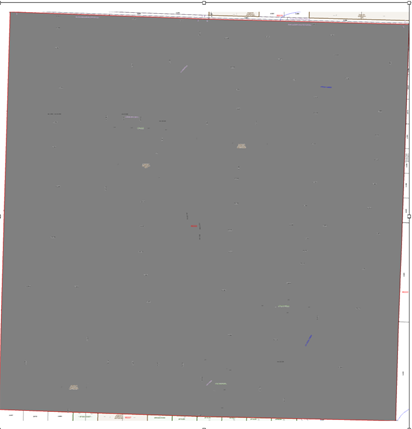
When using clip to shape in the map properties gui this is what I get. There is no data showing outside of the boundary. I need to know f there is a way to achieve this via sdk coding?