Hello, your kindest help will be highly appreciated.
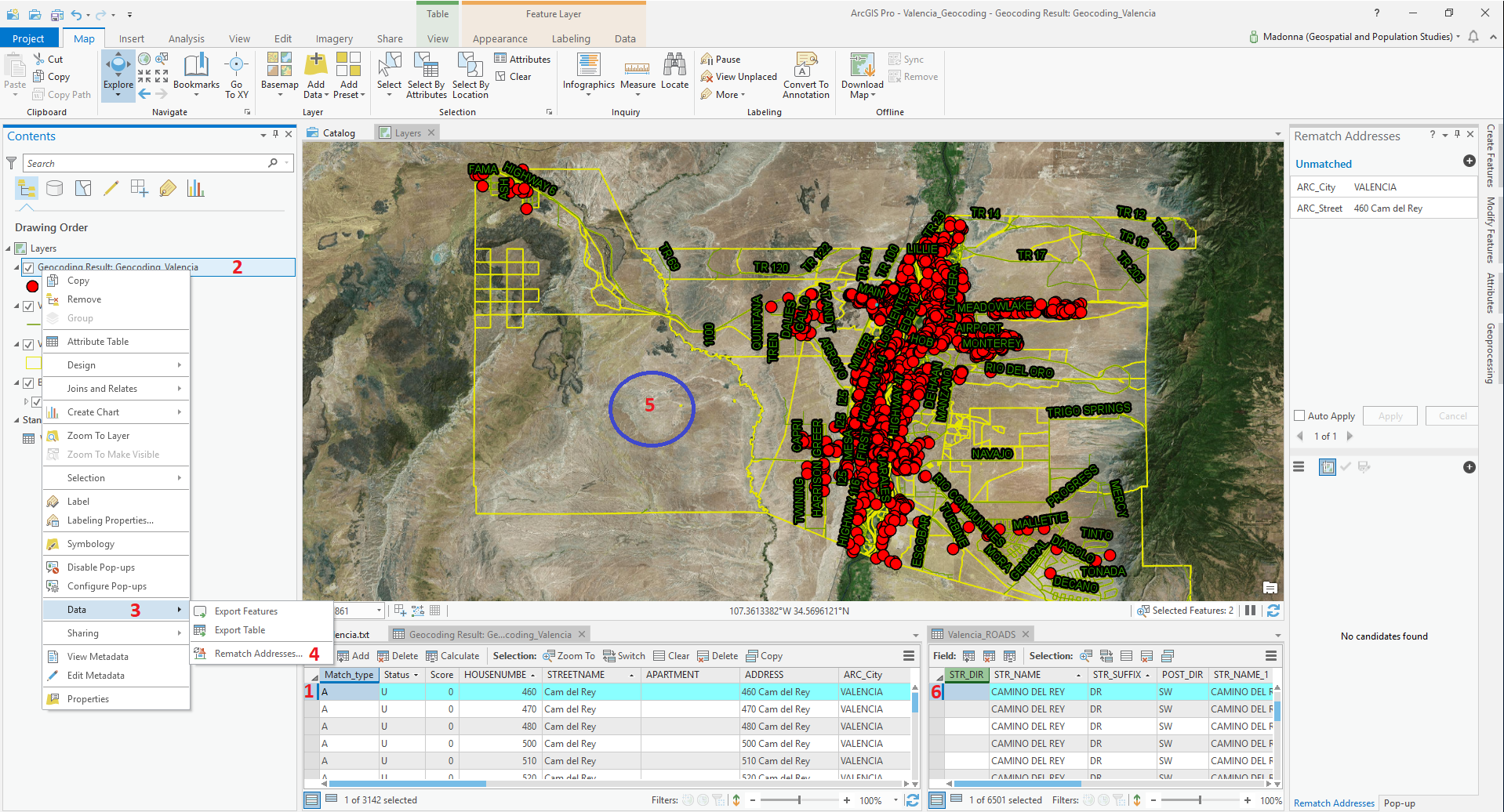
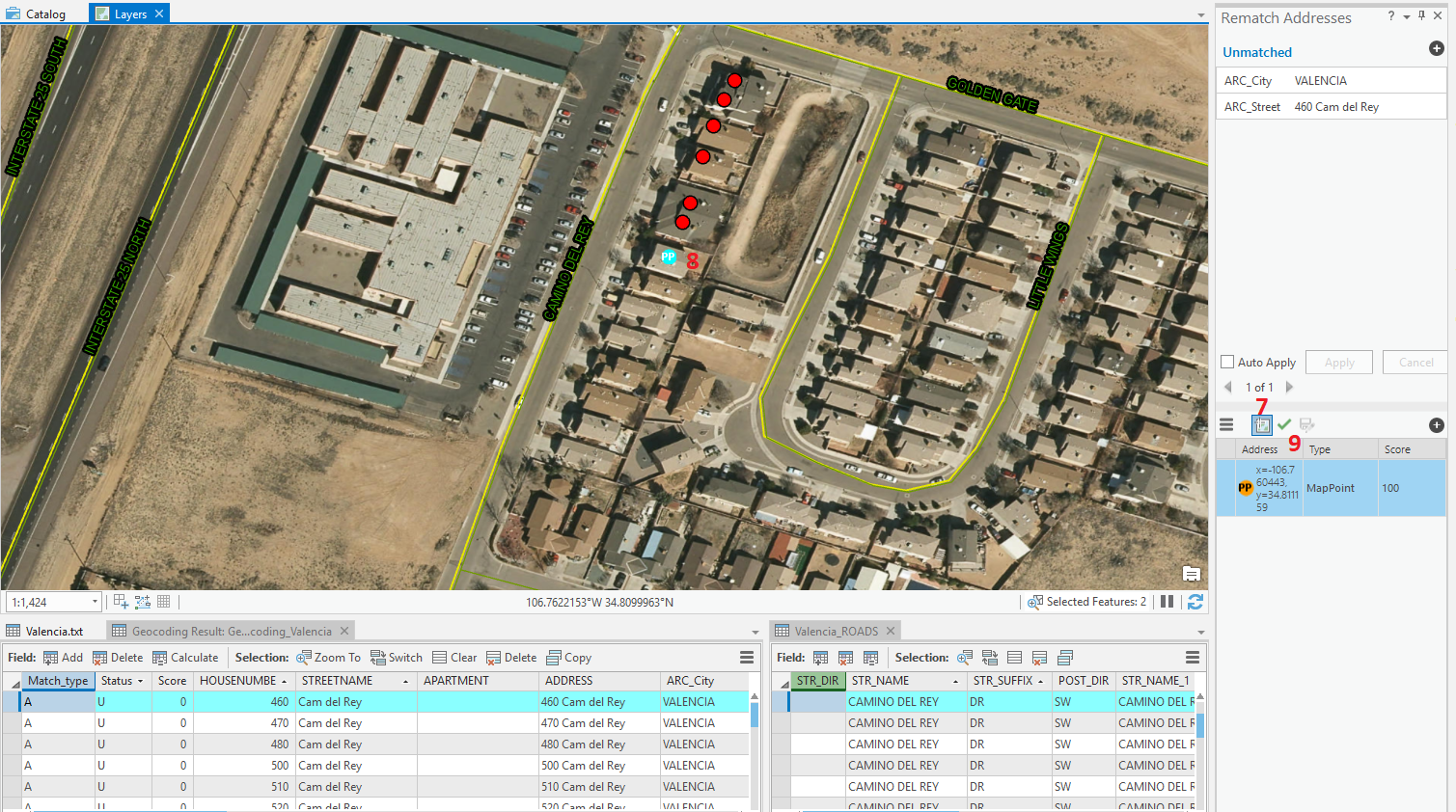
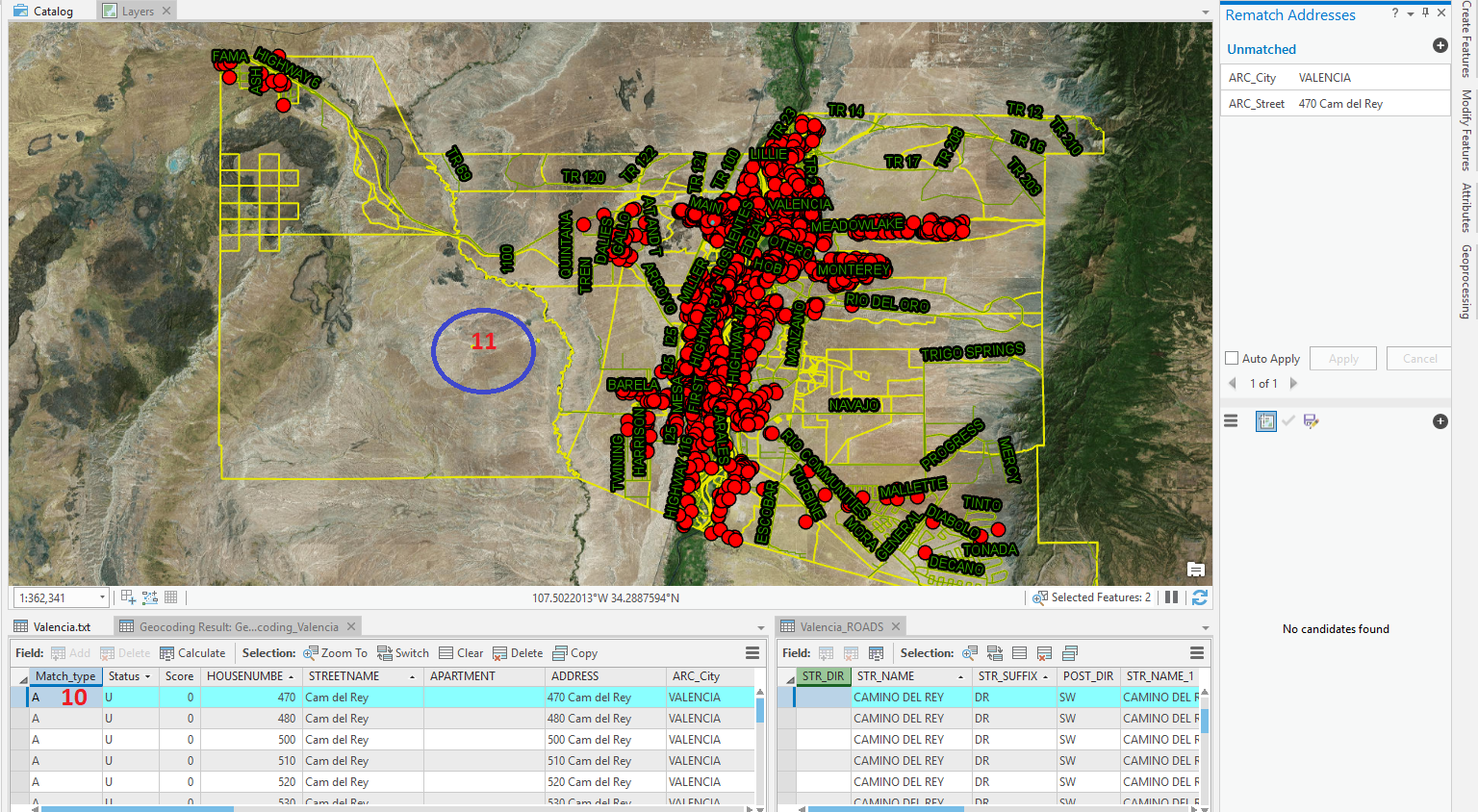
Please see the attachment picture for details with labels in red numbers.
I have a bunch of addresses (label #1) that I need to rematch. Is there an option that the map will not zoom out (label #5 and #11) every time I choose a new row (Label #10)?
Here's my steps to rematch an address:
Label # 1 = Click the row
Label # 2 = Click the geocoding layer
Label # 3 = Mouse over Data
Label # 4 = Click Rematch
Label # 5 = the map will zoom out
Label # 6 = zoom to the road
Since the next row is just a neighbor, is there an option that once I repeat the steps from Label # 1 with the next row (Label #10), the map (Label #11) will not zoom out?
Or is there a better procedure on how to rematch an address?