I am having a very strange experience today in that I am using ArcGIS Pro 2.5.1 for routine geoprocessing tasks and frequently having empty output generated even though I know the input is not empty.
For example: I am trying to clip a point layer of wildlife records to a polygon of two UK county boundaries. The point layer of records, which has a definition query on, clearly overlays the polygon layer as shown below:
(green points are the Input Features for Clip tool, purple polygon layer are Clip Features)
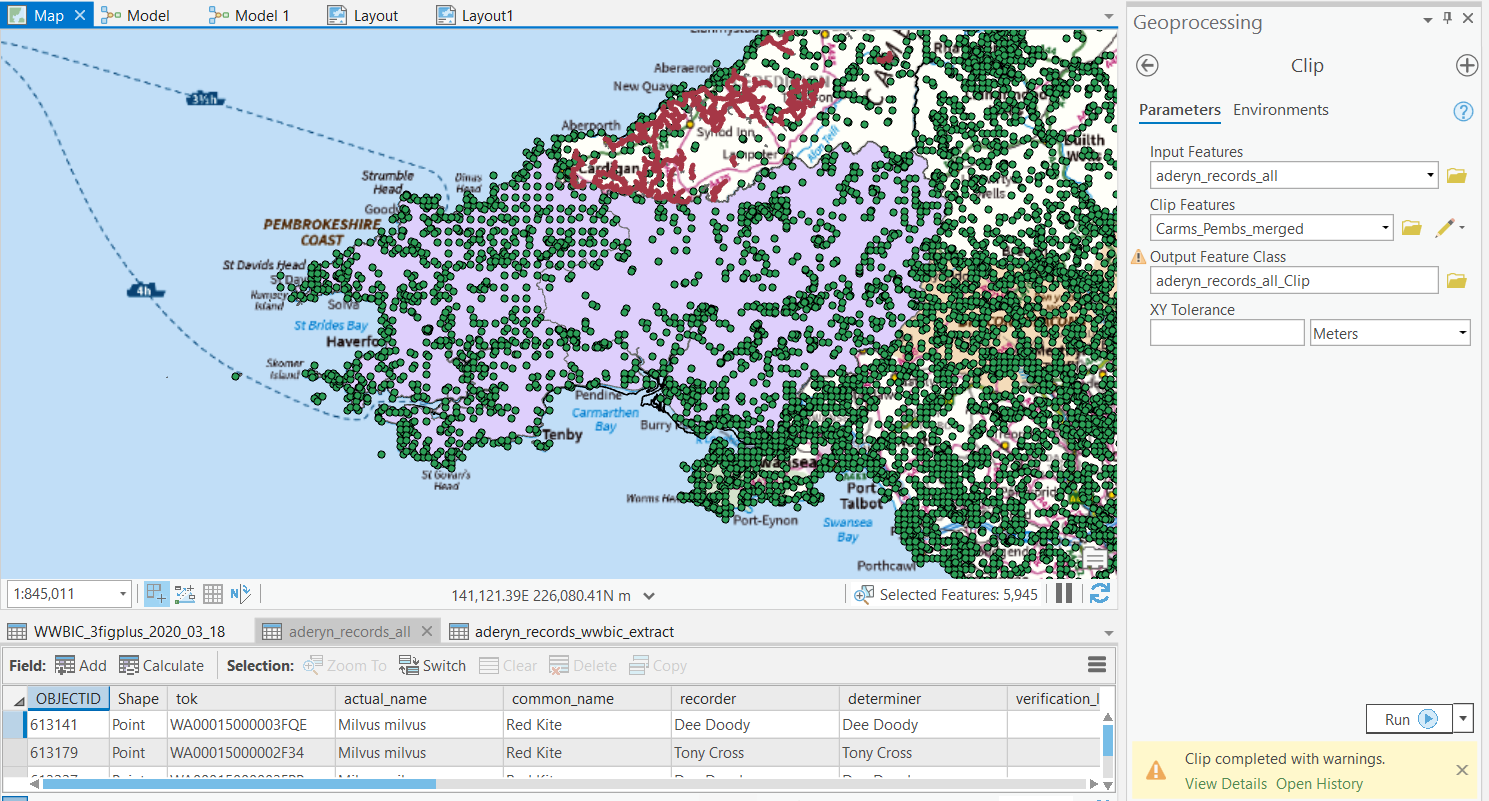
Yet when I run the tool, it generates an empty output: WARNING 000117: Warning empty output generated.
This is also happening if I use the Select tool to try and extract features from the Input Features before clipping. I am using the following query for the Select expression:
actual_name LIKE '%Milvus milvus%'
OR actual_name LIKE '%Accipiter gentilis%'
OR actual_name LIKE '%Falco subbuteo%'
OR actual_name LIKE '%Falco columbarius%'
OR actual_name LIKE '%Falco peregrinus%'
Which has been validated and is correct. However when I run the Select tool, it generates an empty output. But if I apply query as a definition query on the layer and open the attribute table, ~36k records are returned.
I tried creating a test feature class with two rows, and using the Select tool on this with the following expression:
OBJECTID = 1
This worked - it created an output feature class of only 1 row. So maybe there is something specific to my query that is causing this, but I cannot imagine what, as the query has been validated and works fine when used as a definition query to filter a feature class - but empty output is generated if that filtered feature class is used as input for Clip, or if used as an input expression for the Select tool.
Does anyone have any idea what's going on?


