Hello,
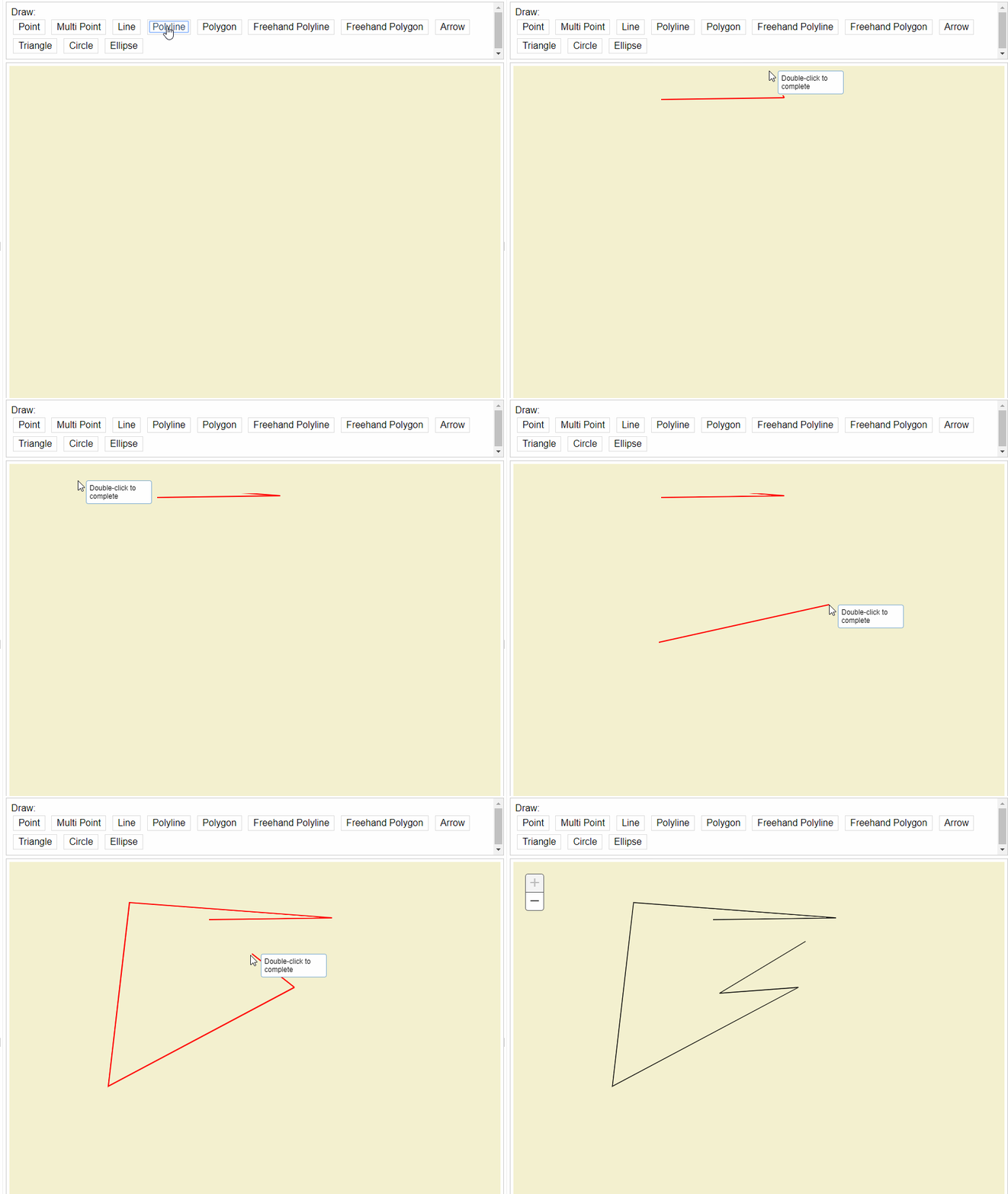
Our user found an issue, where graphics in draw toolbar were not rendering correctly.
We are using javascript api version 3.26, and I could reproduce it in Draw demo app (on Chrome):
ArcGIS API for JavaScript Sandbox
The issue happens with various tools - polyline, polygon, multipoint (didn't test others, I believe the issue holds).
It is more noticeable in deep zoom levels.
As I was looking into it - my thoughts are - graphics creates (svg) canvas with some initial size. As user moves mouse or clicks to add point, the size of the canvas is not changing, thus not rendering geometry on the screen. Panning while drawing "fixes" it.
I couldn't find a proper way to report an issue.
I attached a GIF with the issue at demo page.