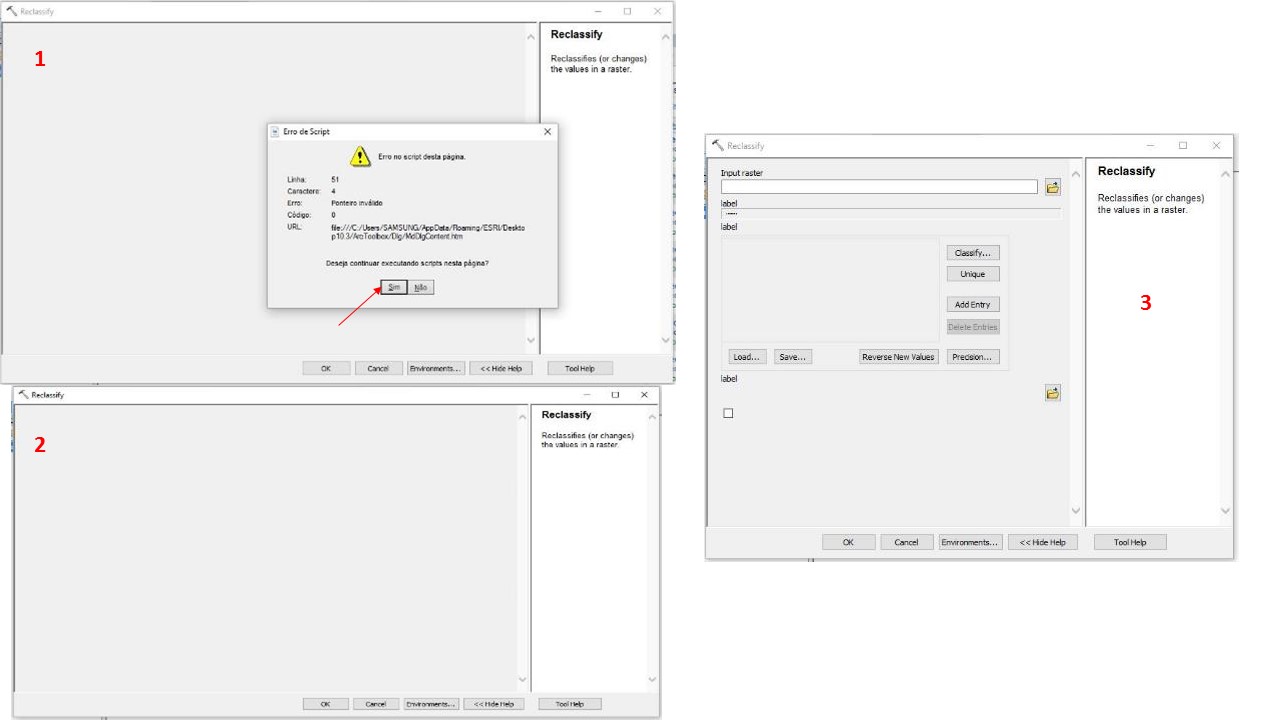
Some Spatial Analyst tools (e.g. Reclassify, Raster Calculator) and other tools from other toolboxes (e.g. Tracking Analyst Tools) are not working because of a Script Error. The message says:
Line: 51
Caracthere: 4
Error: Invalid Pointer
Code: 0
URL: file:///C:/Users/”MY_USER_NAME”/AppData/Roaming/ESRI/Desktop10.3/ArcToolbox/Dlg/MdDlgContent.htm
Do you wish to continue executing the script? Yes or No
No matter if I chose "yes" or "no" the tool doesn’t show anything. When I change the size of the tool window, a part of it is showed but not everything. It’s impossible to use it.
I’ve seen a lot of post about this bug and I tried everything I could:
I changed my security options in Internet, rename the file MdDlgContent to “..._old”, reset ArcGIS options but nothing worked.
I have ArcGIS 10.3 and Windows 10, but I had this problem with other Windows version, other ArcGIS version and even other laptop. Does anyone know how to solve it? I contact ESRI represent in my country but they couldn't help me.
Thank you!