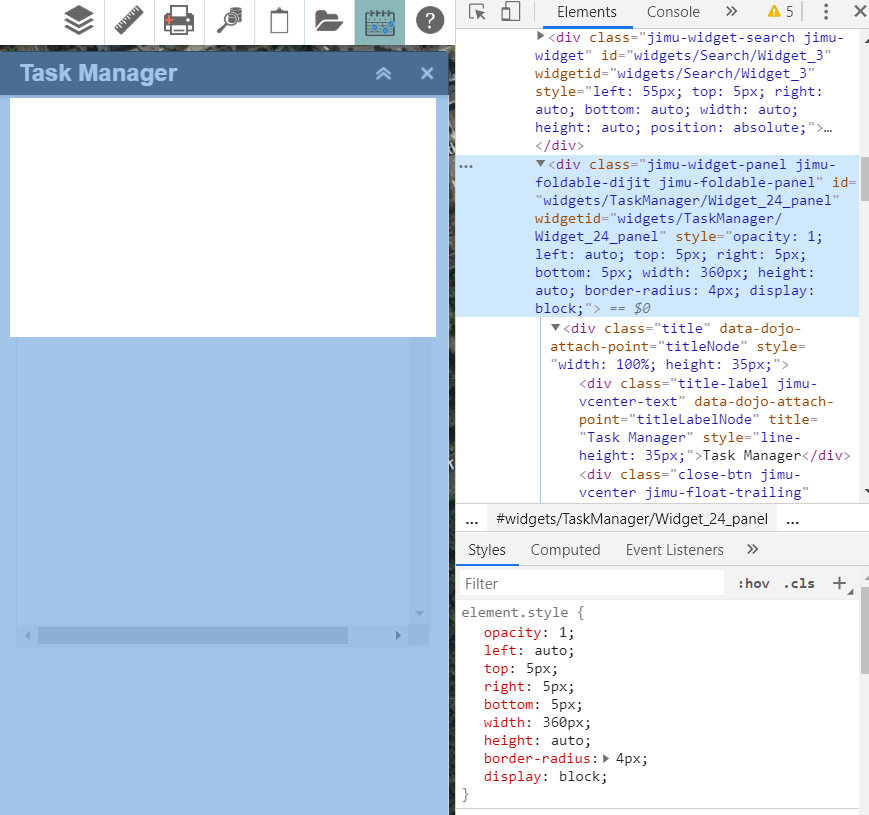
I'm looking to change the size of widget window/panel for an in-panel widget using WAB v2.4 to have a width of ~50% of the window or ~600px. I've been able to modify the contents of the widget panel (child elements are reduced using method shown in #3) but I'm looking to actually widen a specific widget UI so that it's capable of providing enough horizontal screen real estate for the widget contents.
I've attempted to modify the width property through a variety of methods (These include......
Modifying the config file to include the position object (position.width) and then programmatically enforcing a new width property.
if(this.config.position){
if(this.position.width){
this.panel.position.width = this.config.position.width;
console.log('changed');
}
}
2. Changing the widget style width via this.domNode.style.width = 600 didn't yield anything as well.
3. Enforcing the widget class (declared as the baseClass at widget instantiation) in the widget stylesheet.
.jimu-widget-taskmanager{
width: 50% !important;
}
Any guidance on how to accomplish this? I'm sure I'm sure accessing the DOM/widget the wrong way but I'm getting frustrated with this simple task.