I have setup a WEB APP on ArcGIS online and then I have downloaded it to be hosted locally on our server. I wish to change some text in danish localization to a faroese texts, which serves our purpose.
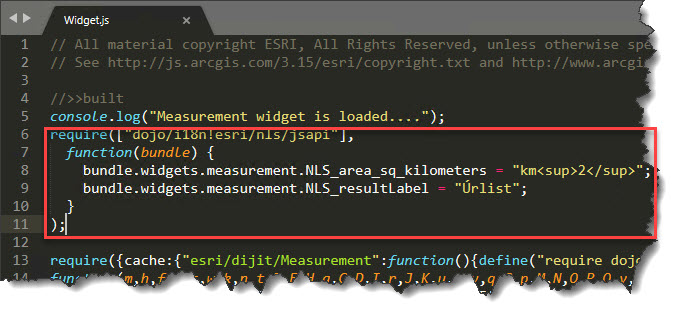
I was able to change many of the texts by accessing a NLS folder for a widget I want to customize (e.g. query widget "...widgets\Query\nls\Widget_da.js" and change the texts. But some widgets do not have text strings in NLS folder, specifically "measaurement" widget. I have managed to change the lables by adding a following js code to the measurement widget js code, right before the original code starts (see attached image):
require(["dojo/i18n!esri/nls/jsapi"],
function(bundle) {
// bundle.widgets.measurement.NLS_area_sq_kilometers = "km<sup>2</sup>";
// bundle.widgets.measurement.NLS_resultLabel = "Mlæ";
}
);
However, I realize that this is probably not best solution. My questions are:
- Where to add a custom code like this if I wish to extend a widget. Remember, I have downloaded the code from AGOL, I am not working with WAB for developers.
- I would imagine that this code will change the texts for all languages not only for danish. Is there a way I can change the text only one language?
Thank you
Martin


