I've been successful at getting my callout to appear with a button image and even have the image clickable to trigger further work. However, when I touch the screen with my finger it does not trigger the button click event and am wondering how I can go about using a touch event to fire the action related to the button?
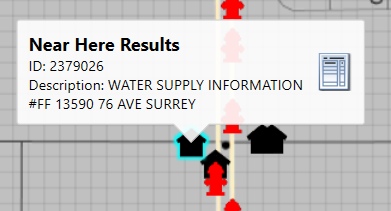
Code example:
if (MyGraphic.HasLayout)
{
//a button is needed in the callout definition
var converter = new ImageConverter();
var png = Properties.Resources.Form;
def.ButtonImage = new RuntimeImage((byte[])converter.ConvertTo(png, typeof(byte[])));
Action<object> infoWindowButtonClick_Process = MoreDetailsClicked;
def.OnButtonClick = infoWindowButtonClick_Process;
}
My click event being handled:
private void MoreDetailsClicked(object message)
{
//do further work
}

