Ich bevorzuge die benutzerdefinierten Toolboxes, da Sie den Dialog der Tool-Eigenschaften per Bildschirmfoto erfassen können. Das Sammeln der Textinformationen ist etwas mühsam, daher habe ich das Skript beigefügt, das Ihnen dies erleichtert und/oder in Ihre eigenen Toolboxes integriert werden kann.
Beginnen Sie mit einer Toolbox, ihren Toolsets und Tools.
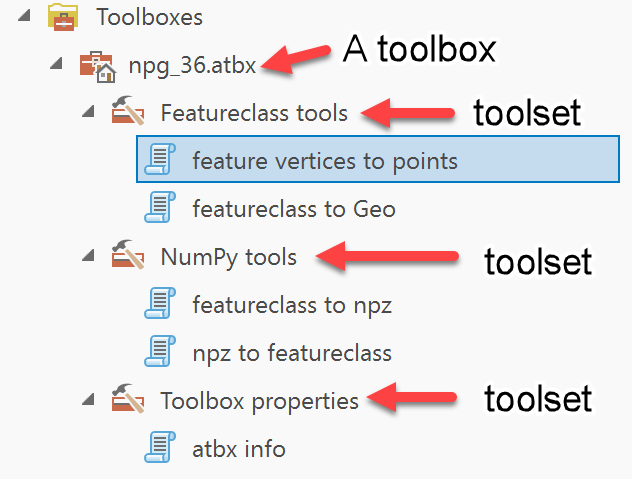
Hier ist ein Tool mit seinem Eingabeparameter. Dieses dient dazu, *.atbx Toolboxes zu dokumentieren.
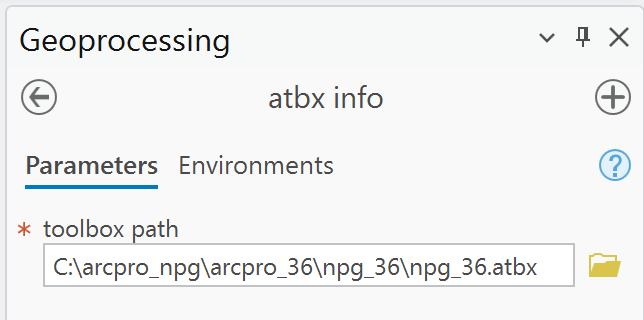
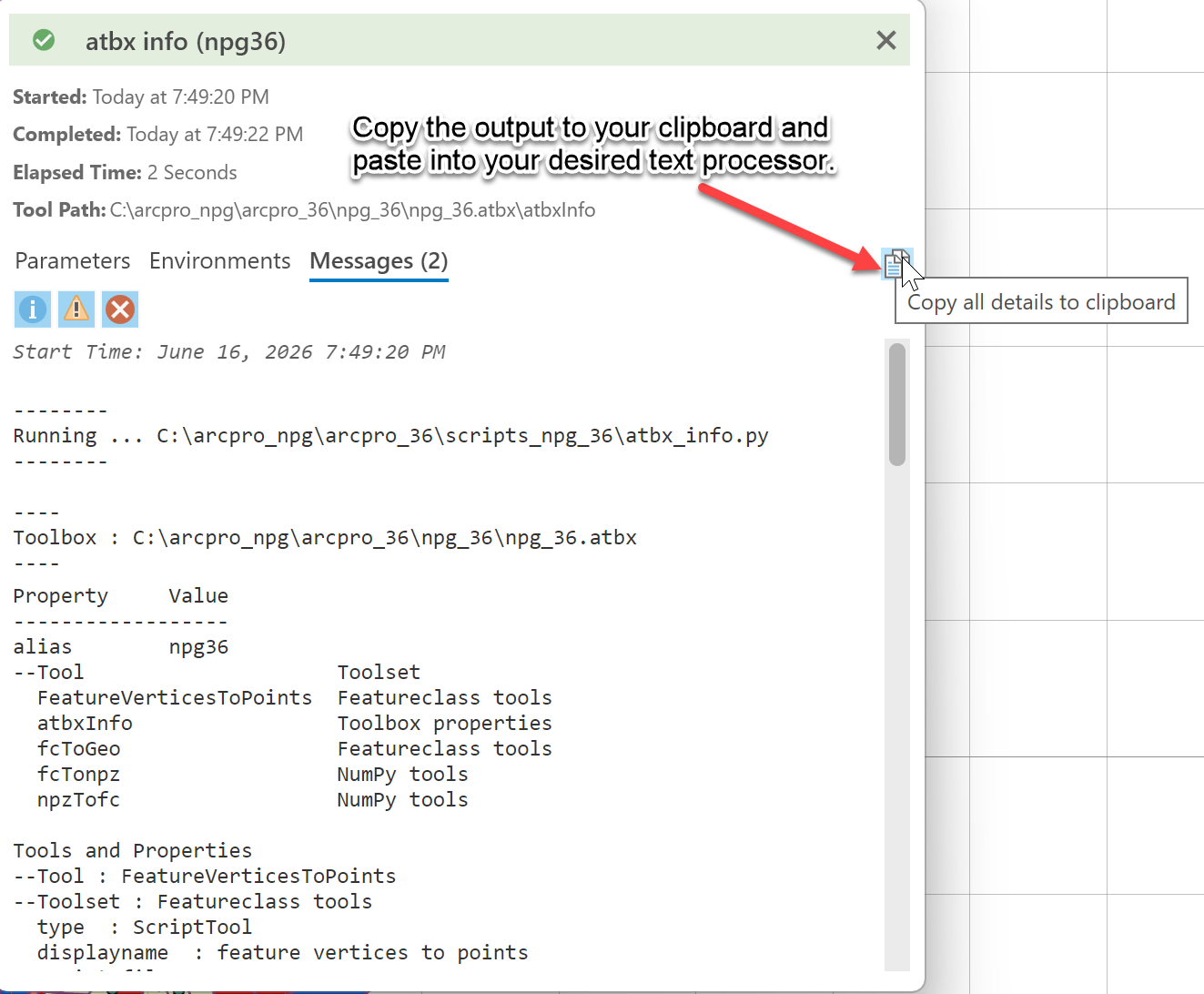
Die Ergebnisse des Tools werden an die Nachrichten gesendet, die in die Zwischenablage kopiert und in Ihrem Textverarbeitungsprogramm usw. eingefügt werden können.
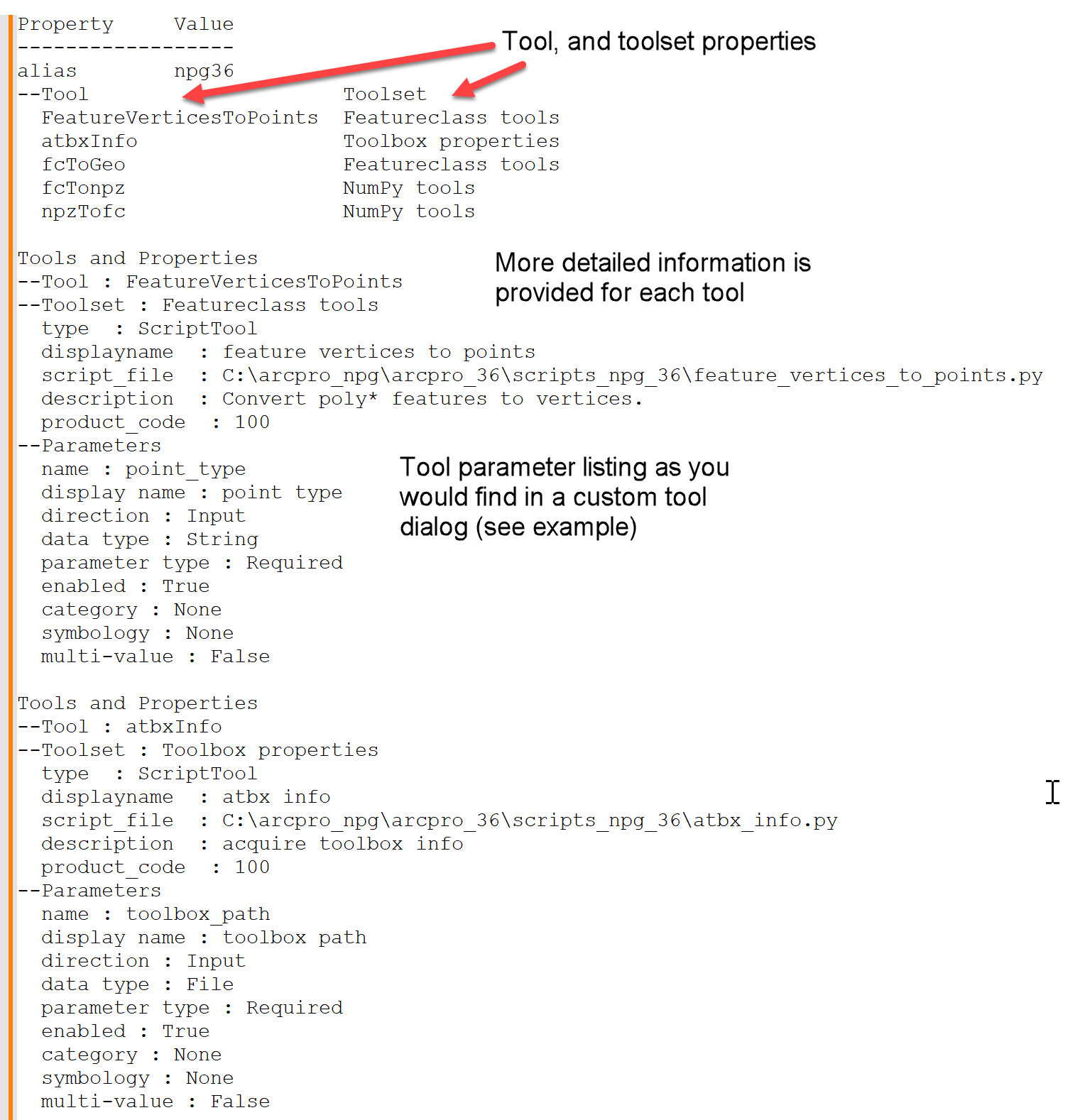
Hier ist die Beispielausgabe in einem Textverarbeitungsprogramm.
In benutzerdefinierten Toolboxes füllen Sie die Parameter in einem Dialog aus. Sie können den verschiedenen Optionen unten folgen

Hier ist ein Beispiel-Tool.
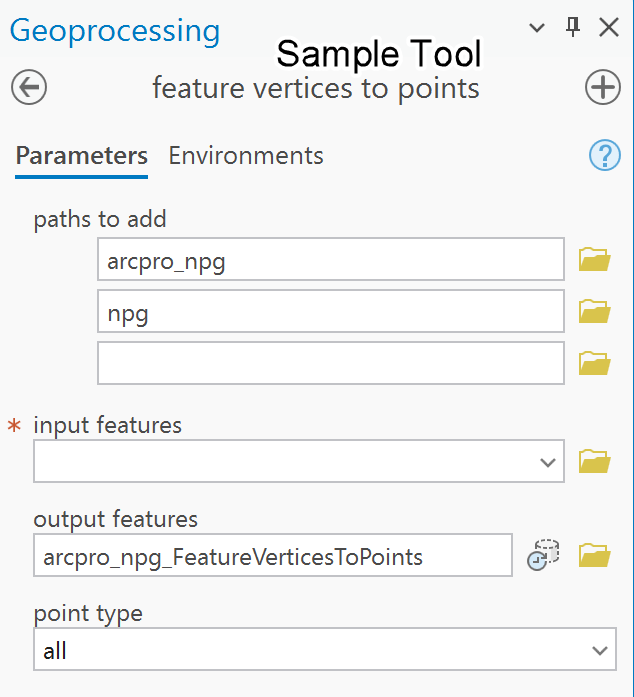
Die allgemeinen Parameter sind unten dargestellt.
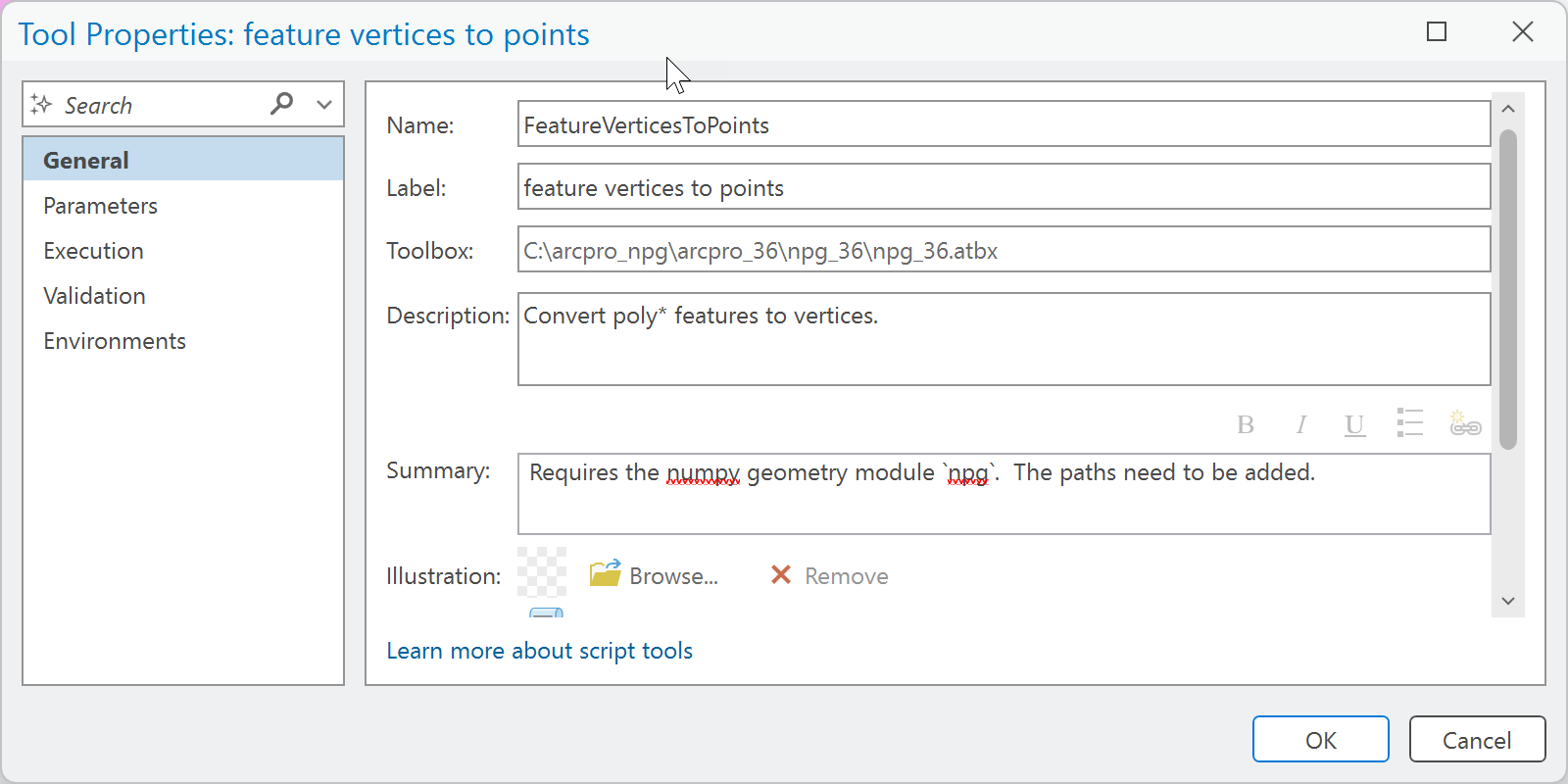
Die Codeausführung kann eingebettet oder an einem Ort relativ zur Toolbox selbst gespeichert werden. Das kann im selben Ordner oder in einem anderen Ordner relativ zur Toolbox sein.
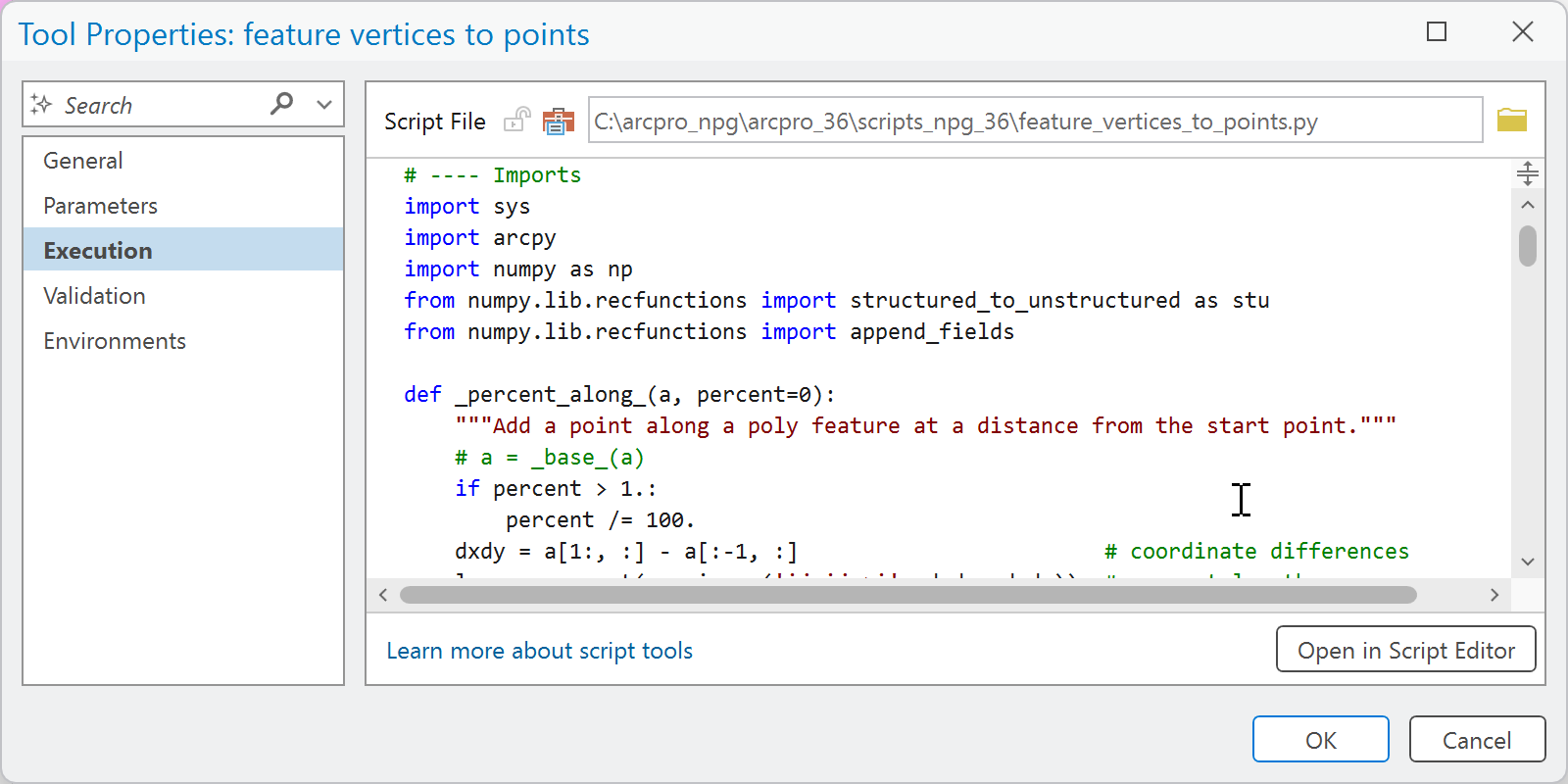
Sie können innerhalb des Dialogs eine Validierung bereitstellen, was es einfacher macht, Ihren Code weniger unübersichtlich zu halten, oder wenn Ihre Validierung einfach oder nicht vorhanden ist.
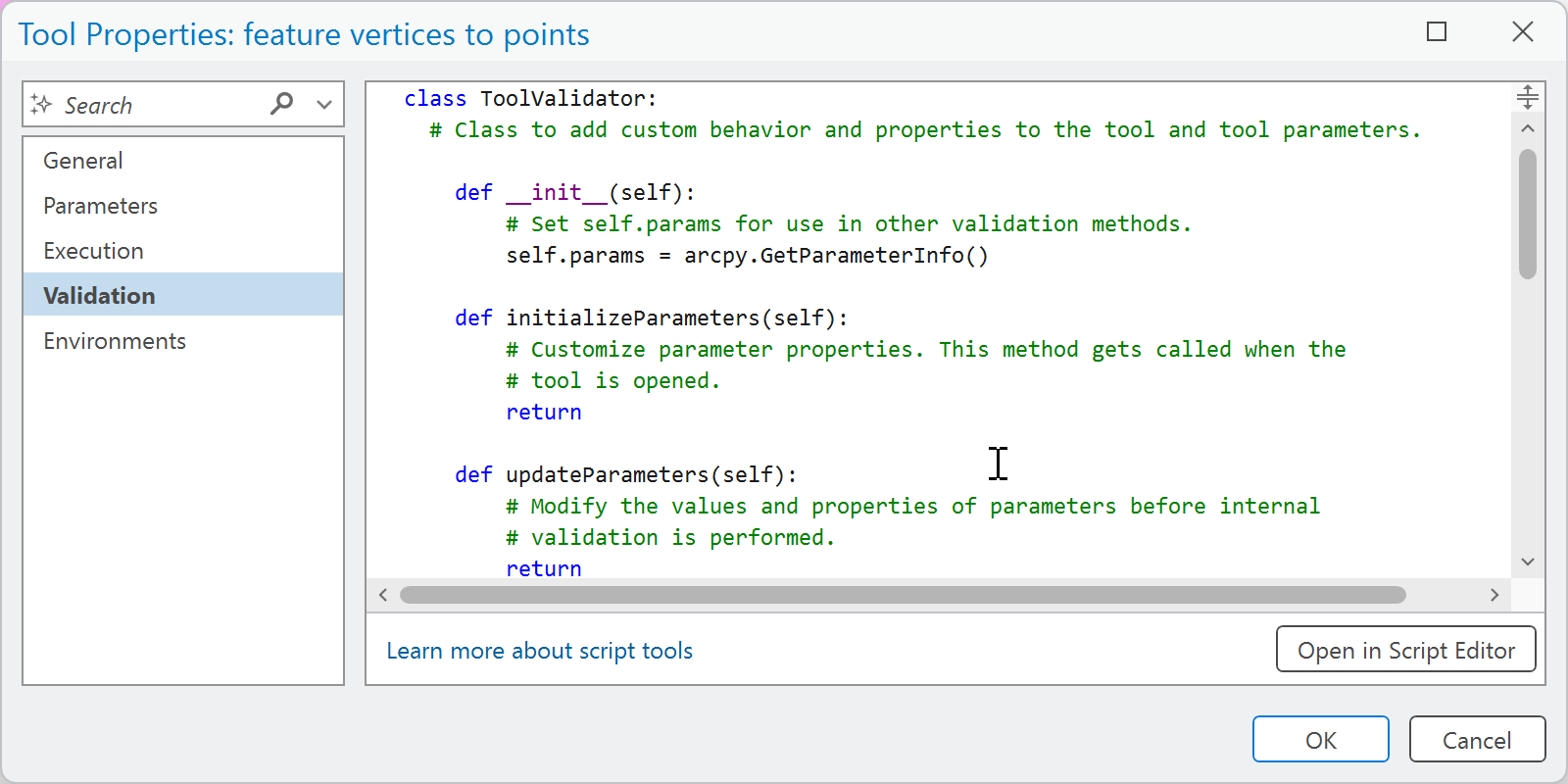
Ebenso können Sie Umgebungsvariablen innerhalb des Dialogs angeben.
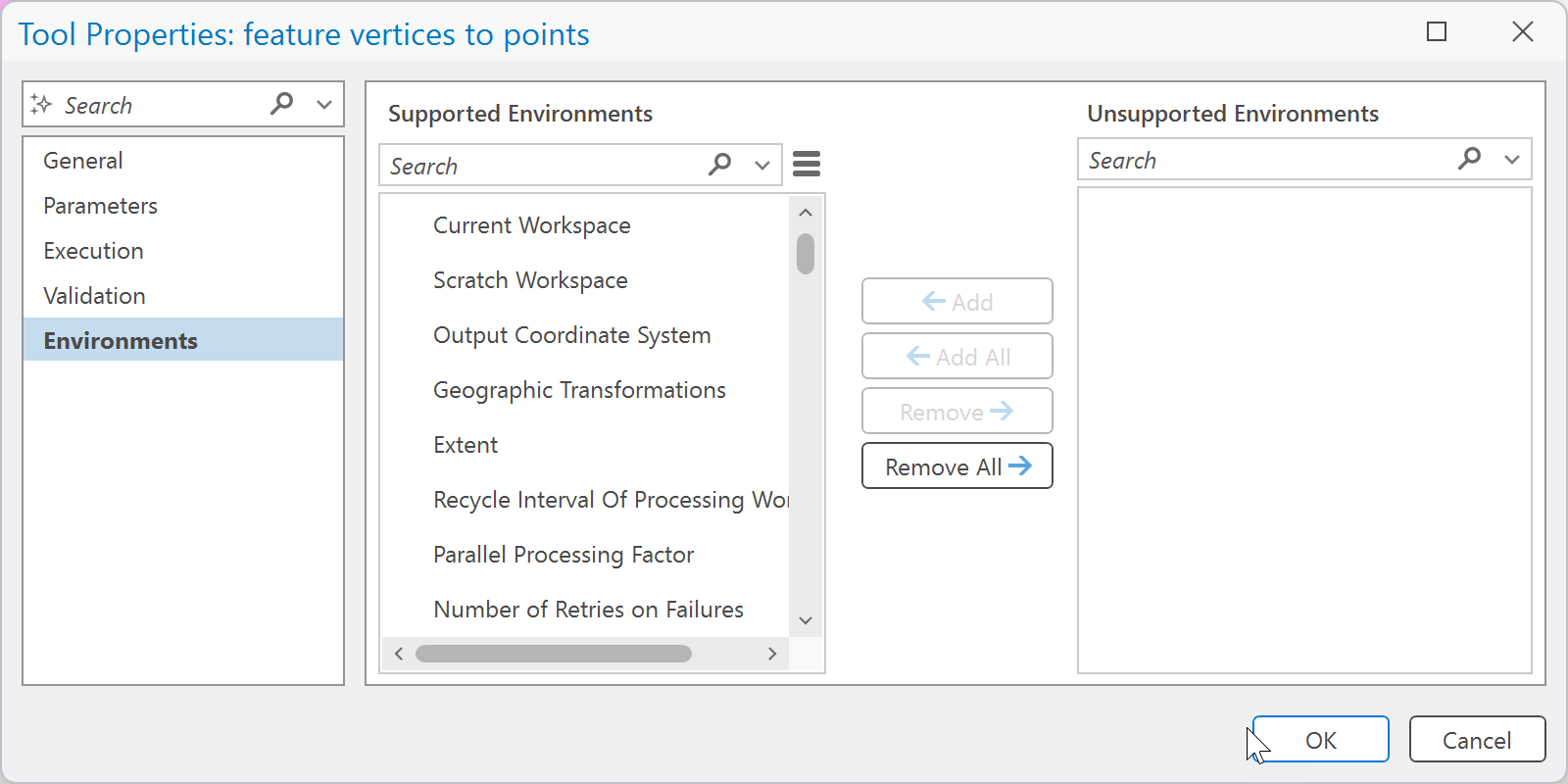
============================
Wenn ich jetzt das atbx info Tool ausführe, erhalten Sie folgende Ergebnisse.
atbx info
=====================
Tool-Pfad

C:\arcpro_npg\arcpro_36\npg_36\npg_36.atbx\atbxInfo
=====================
Parameter

Toolbox-Pfad     C:\arcpro_npg\arcpro_36\npg_36\npg_36.atbx
=====================
Nachrichten

Startzeit: 16. Juni 2026 21:00:03

--------
Ausführung ... C:\arcpro_npg\arcpro_36\scripts_npg_36\atbx_info.py
--------

----
Toolbox : C:\arcpro_npg\arcpro_36\npg_36\npg_36.atbx
----

Eigenschaft     Wert
------------------
Alias        npg36
--Tool                     Toolset
  FeatureVerticesToPoints  Featureclass tools
  atbxInfo                 Toolbox properties
  fcToGeo                  Featureclass tools
  fcTonpz                  NumPy tools
  npzTofc                  NumPy tools

Tools und Eigenschaften
--Tool : FeatureVerticesToPoints
--Toolset : Featureclass tools
  Typ  : ScriptTool
  Anzeigename  : feature vertices to points
  Skriptdatei  : C:\arcpro_npg\arcpro_36\scripts_npg_36\feature_vertices_to_points.py
  Beschreibung  : Konvertiert poly* Features zu Scheitelpunkten.
  Produktcode  : 100
--Parameter
  Name : point_type
  Anzeigename : point type
  Richtung : Eingabe
  Datentyp : String
  Parametertyp : Erforderlich
  Aktiviert : Wahr
  Kategorie : Keine
  Symbolik : Keine
  Mehrfachwert : Falsch

Tools und Eigenschaften
--Tool : atbxInfo
--Toolset : Toolbox properties
  Typ  : ScriptTool
  Anzeigename  : atbx info
  Skriptdatei  : C:\arcpro_npg\arcpro_36\scripts_npg_36\atbx_info.py
  Beschreibung  : Toolbox-Informationen abrufen
  Produktcode  : 100
--Parameter
  Name : toolbox_path
  Anzeigename : toolbox path
  Richtung : Eingabe
  Datentyp : Datei
  Parametertyp : Erforderlich
  Aktiviert : Wahr
  Kategorie : Keine
  Symbolik : Keine
  Mehrfachwert : Falsch

Tools und Eigenschaften
--Tool : fcToGeo
--Toolset : Featureclass tools
  Typ  : ScriptTool
  Anzeigename  : featureclass to Geo
  script_file  : C:\arcpro_npg\arcpro_36\scripts_npg_36\featureclass_to_Geo.py
  description  : Convert a featureclass to a Geo array.
  product_code  : 100
--Parameters
  name : input_features
  display name : input features
  direction : Input
  data type : Feature Layer
  parameter type : Required
  enabled : True
  category : None
  symbology : None
  multi-value : False

Tools and Properties
--Tool : fcTonpz
--Toolset : NumPy tools
  type  : ScriptTool
  displayname  : featureclass to npz
  script_file  : C:\arcpro_npg\arcpro_36\scripts_npg_36\featureclass_to_npz.py
  description  : Convert a featureclass to a numpy *.npz file.
  product_code  : 100
--Parameters
  name : npz_filename
  display name : npz filename
  direction : Input
  data type : String
  parameter type : Required
  enabled : True
  category : None
  symbology : None
  multi-value : False

Tools and Properties
--Tool : npzTofc
--Toolset : NumPy tools
  type  : ScriptTool
  displayname  : npz to featureclass
  script_file  : C:\arcpro_npg\arcpro_36\scripts_npg_36\npz_to_featureclass.py
  description  : Convert a numpy *.npz file to a featureclass.
  product_code  : 100
--Parameters
  name : output_fc
  display name : output featureclass
  direction : Output
  data type : Feature Class
  parameter type : Required
  enabled : True
  category : None
  symbology : None
  multi-value : False
Succeeded at June 16, 2026 9:00:04 PM (Elapsed Time: 0.68 seconds)
Here is the code
# -*- coding: utf-8 -*-
"""
@author: dan_patterson
"""

import sys
import arcpy
from arcgisscripting._arcgisscripting import _utbx

pth_ = arcpy.GetParameterAsText(0)  # the path to the toolbox
script = sys.argv[0]  # print this should you need to locate the script

def toolbox_info(t_box):
    """Return toolbox information.

    Parameters
    ----------
    t_box : toolbox in *.atbx format

    Example
    -------
    t_box = "C:/temp/npGeom_32.atbx"
    """
    def _hdr_(hdr_n):
        """Format the header."""
        return "{{:<{}s}}".format(hdr_n) + "  {!s:<}"

    t_box = t_box.replace("\\", "/")
    t_props = _utbx.getToolboxProps(t_box, "*")
    t_keys = sorted(list(t_props.keys()))
    hdr_n = max([len(i) for i in t_keys])
    frmt0 = _hdr_(hdr_n)
    msg = frmt0.format("Property", "Value") + "\n" + ("-")*(hdr_n + 7)
    z0 = ['name', 'display name', 'direction', 'data type', 'parameter type',
          'enabled', 'category', 'symbology', 'multi-value']
    keys0 = [i for i in t_keys if i != 'tools']
    keys1 = 'tools' if 'tools' in t_keys else None

    for k in keys0:  # toolbox properties
        v = t_props[k]
        msg += "\n" + frmt0.format(k, v)
        if keys1:  # `tool` properties
            v = t_props[keys1]
            v_keys = sorted(list(v.keys()))
            hdr_1 = max([len(i) for i in v_keys])
            frmt1 = _hdr_(hdr_1)
            msg += "\n" + frmt1.format("--Tool", "  Toolset")
            for k1 in v_keys:
                v1 = v[k1]
                msg += "\n  " + frmt1.format(k1, v1)
            for k1 in v_keys:
                pth = "{}/{}".format(t_box, k1)
                t_0 = _utbx.getToolProps(pth, '*')
                tool_keys = list(t_0.keys())
                msg += "\n\nTools and Properties"
                msg += "\n--Tool : {!s:<}\n--Toolset : {!s:}\n".format(k1, v[k1])
                for k2 in tool_keys:
                    if k2 != 'params':
                        msg += "  {!s:}  : {!s}\n".format(k2, t_0[k2])
                    elif k2 == 'params':
                        for i in t_0['params']:
                            z1 = [str(j) if j != '' else 'None'
                                  for j in [i.name, i.displayName, i.direction,
                                  i.datatype, i.parameterType, i.enabled,
                                  i.category, i.symbology, i.multiValue]
                                  ]
                        msg += "--Parameters\n"
                        txt = "\n".join(["  {!s:<} : {!s:}".format(*j)
                                         for j in list(zip(z0, z1))])
                        # msg += "parameter"
                        msg += txt
                    else:
                        msg += "unknown"
        return msg

# -------

msg = toolbox_info(pth_)  # -- run

out_ = "\n--------\nRunning ... {}\n--------\n".format(script)
out_ += "\n----\nToolbox : {}\n----\n".format(pth_)
arcpy.AddMessage(out_)
arcpy.AddMessage(msg)

# ----------------------------------------------------------------------
# __main__ .... code section
if __name__ == "__main__":
    # print the script source name.
    print('\n{} in source script... {}'.format(__name__, script))
    # parameters here
So between screen grabs and the atbx info tool, your documentation is complete.
