Hi,
after recovery our database server and pc for arcgis server/desktop etc I am getting at crating new database connection in ArcCatalog:
"Unable to connect to database server to retrieve database list; please verify your server name, user name and password info and try again. Failure to access the DBMS server"
Steps already done:
- Recreated database connection in ArcGis Pro Catalog view - working in ArcgisPro, not working in ArcCatalog (Failed to connect to database. Failure to access the DBMS server)
- .NET 4.7 is installed, register Key "[HKEY_LOCAL_MACHINE\SOFTWARE\Microsoft\.NETFramework\v4.0.30319]
"SystemDefaultTlsVersions"=dword:00000001" applied, "TLS 1.2 support for ArcGIS Desktop” ignored because we have 10.7 version (ArcGIS Desktop 10.7: This release shipped in the first half of 2019 and is configured to use TLS 1.2 – no action is necessary. Esri recommends upgrading to this release when ArcGIS Desktop 10.7 is available.) - pinged: sqlcmd -S servername -U USER -P password - for local user (which is log in to ArcCatalog) getting "login error: Login failed for user USER; for database user getting "1>"
- reinstalled "Microsoft ODBC Driver" 17+18 for 32 bit - didn't change anything
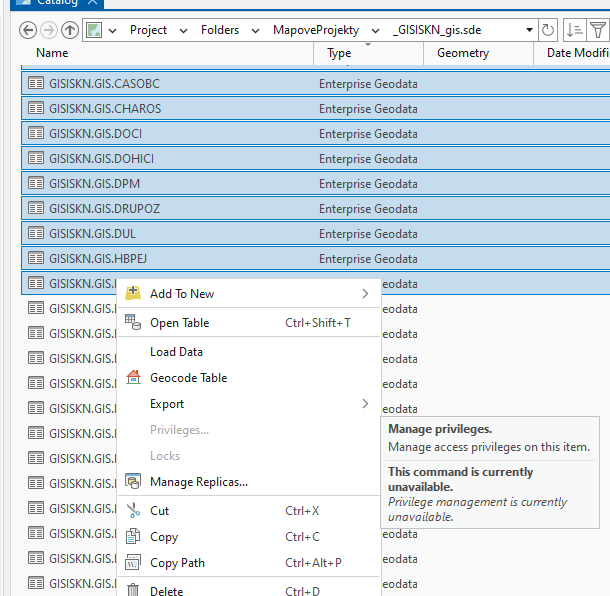
I would like to switch all work from desktop to ArcGis Pro, but even after 3.6.0 update we are not able to manage privileges for more than 1 item, and i am not gonna change it one by one for more than 100 items (again 😞 )