When you use folders in your experience to organize pages within a menu, only the expand/collapse arrow is clickable. This is true for all the current menu types: icon, vertical, and horizontal.
Put a different way, in the menu you can click on either a standalone page ("Introduction") or you're limited to clicking on the folder arrows, but clicking on the folder names ("HAA5 - Haloacetic Acids" etc.) does nothing:

It seems intuitive from a user side that clicking on the folder name should expand/collapse the submenu.
One potential option to get around this is to essentially forego the tidiness of using the expand/collapse arrows by setting the submenu expand mode to "expand" rather than "foldable." However, this doesn't really work for me since setting it to "expand" means I lose the indentation I get with "foldable":
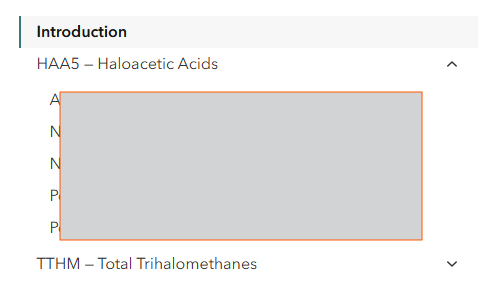
^ Foldable
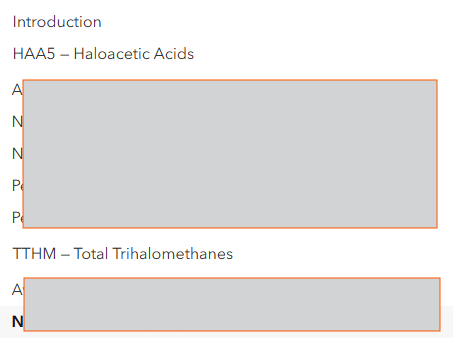
^ Expand (no indentation of pages despite being in folders, and I also can't make the folder names bold or anything like that to try to set them apart from the pages)
I was super surprised to not see this added as an Idea yet. If I've just failed at searching, please let me know!
