When a domain is applied to a feature class field that may already be populated with values that do not match a domain code, or if someone accidentally uses Calculate Field to apply a domain description value instead of a domain code value, ArcGIS Pro could make the users' life much easier in helping to diagnose and update values.
Specifically, adding a functionality in the Attributes pane to be more helpful in cases where a 'base value' matches a domain description value would go a long way in quickly helping the user to see the issue.
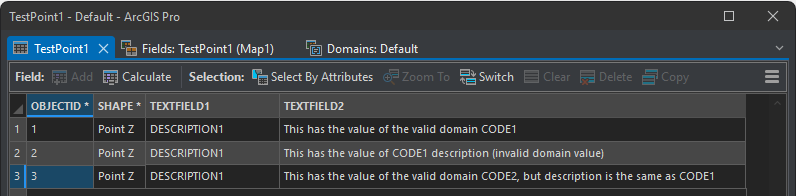
I have created an extremely basic example below (ArcGIS Pro 3.2.5) to illustrate the point. I have a point feature class with a TEXTFIELD1 that has a domain assigned. You will notice that CODE2 has the same description as CODE1. This is a slight aside to bring up the issue that you can have multiple domain codes with the same description. The user can't select both from attribute value drop-down... so it just defaults to the first one in the domain list I assume.
Anyway, the super simple domain:

The point features showing the domain description values:
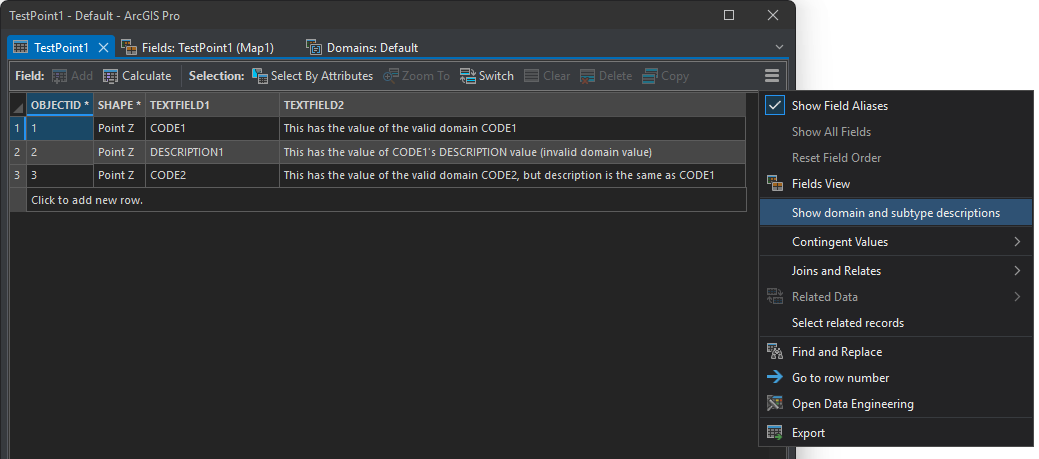
The point features NOT showing domain description values:
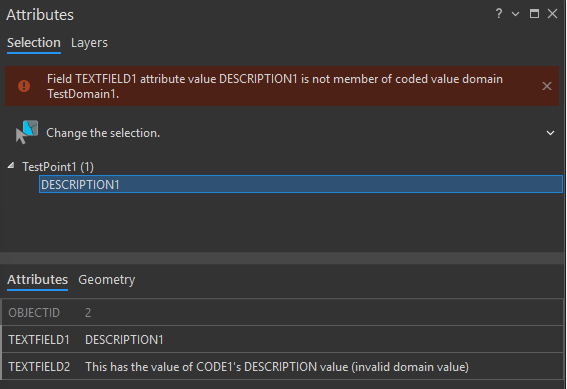
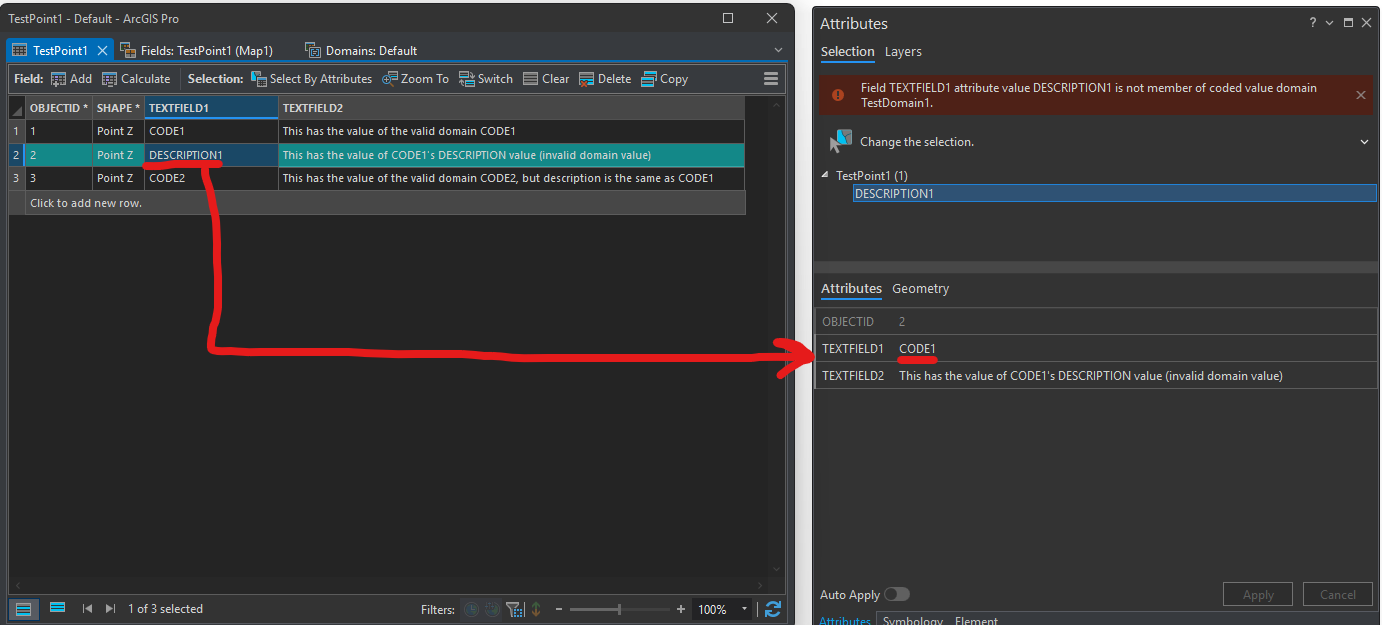
Point 2 selected - the Attributes pane correctly warns that the attribute value DESCRIPTION1 is not a valid domain value.
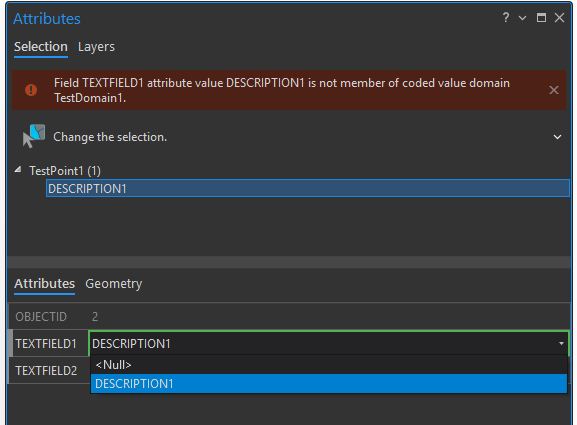
However, if you click the TEXTFIELD1 value pick list, and you select DESCRIPTION1, it will not update the base value to be the valid CODE1 domain value. It remains DESCRIPTION1. The only way to update the value to CODE1 is to flip the value to NULL (or some other domain value), and then choose the correct value; or, use Calculate Field and apply the CODE1 value that way.
And just to follow up on that side-note about CODE2 having the same description as CODE1 - there is no way to choose a value that resolves to CODE2.
Further, there is an inexplicably odd behavior where if 'Show domain and subtype descriptions' is off, the Attributes pane shows TEXTFIELD1 as the CODE1 value! What in the heck? What kind of sense are beginner or even intermediate users supposed to make of this?
---
So after all that said -- what am I asking for?
- (main issue) Preferably, there would be updated behavior in the Attributes pane to help users resolve this exact issue. Whether there is an additional functionality in the Attributes pane that shows both base values of a field AND the domain description at the same time where users can directly 'override' whatever behavior is happening here; or better warning description that describes to the user how to switch the value to NULL (or some other domain value), and then choose the correct domain value. I'm not totally sure what this would look like in the end, but I'm just proposing there ought to be something that is more helpful.
- (side issue) Possibly require domain descriptions to be unique, the same way domain codes are checked for uniqueness? Maybe there are use cases that negate this... but if there are, they must be aware that they can't actually populate the secondary domain code through the Attributes menu/Attribute table if they do set things up this way, so I'm not sure what the point of that would be.
- (bug fix?) Fix the issue where a domain code description value entered as the base value shows up in the Attributes pane as the domain code value (when 'Show domain and subtype descriptions' is off). Is this a bug? Maybe fixed in other versions of Pro?
In conclusion: this is not really a fringe issue - I have dealt with it myself many times, my users are confused by this issue, and I have had consultant (GIS professionals) I'm working with struggle with it and I have to explain it to them.
EDIT: Additional note: I imagine this issue also affects users doing web map editing, and Field Maps. So if there can be functionality across the whole pipeline that helps users address domain value mismatch more easily, that would be great.


