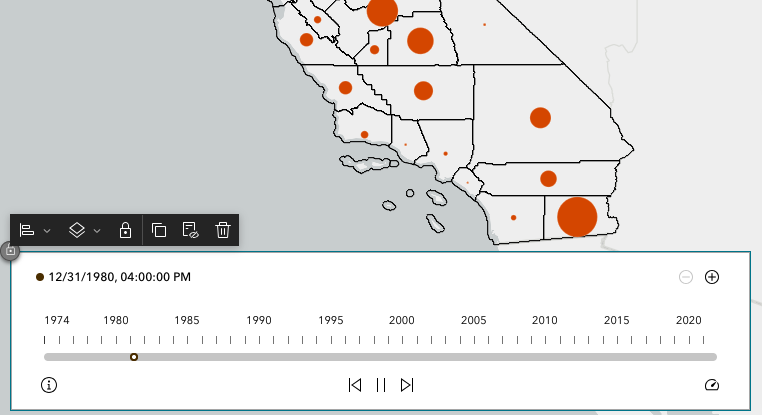
Hi, I'm working in experience builder on a page with a timeline to animate a time-enabled layer. In the original feature layer, the Date field is time-enabled and "Date Only".
However, in ArcGIS Experience, the field incorrectly shows as datetime. There is this clunky looking "MM/DD/YYY, HH:MM:SS" label that pops up on the timeline. The original data does not contain any HH:MM:SS data.
The appearance of this label on the timeline makes the Experience look somewhat sloppy and unprofessional.
Is there some way to remove this label on top of the timeline completely, or at least to have Experience correctly recognize the field as date and not datetime? Is this a bug?
Thanks in advance for any help or guidance!