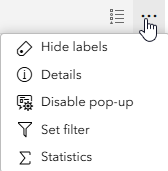
In Web App Builder, the user could turn on or off popups as necessary while they were using an app with many layers. In my use case, let's assume I have 20 layers, and most of the layers' popups were turned off by default, but the user could select which ones to turn on ONLY WHEN THEY NEEDED IT (image), so they wouldn't be clicking a feature in a city centre and see 20+ possible feature popups to scroll through.
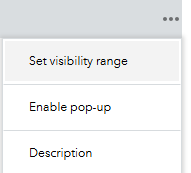
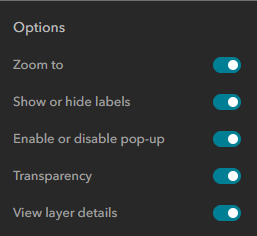
In Experience Builder, I see that popups need to be first enabled/allowed in the web map, then the ability for the USER to TOGGLE popups can be set in the Builder as part of the Map Layers widget. If this setting - Enable or disable pop-up - in Experience Builder is not turned on, then the user wouldn't be able to toggle popups on or off and would have to rely on the developer's settings (in the web map).
To achieve the same workflow that the user previously used in Web App Builder, the user would have to first turn OFF popups for 19 layers, then click on the feature to see the right popup, unless they wanted to scroll through 20+ features with every feature selection.
How can I, the developer, allow popups for all layers (in case the user needs to see popup details for any one of the 20+ layers), but then turn off popups for all 20 layers by DEFAULT, instead of having them all ON and have the USER turn OFF popups for 19 layers each time they boot up the Experience (especially since there is also no app state saving)?