Hi,
I have an odd problem and can’t seem to figure out where this goes wrong. I have various feature classes containing attribute rules that get triggered upon inserts and upon updates. The insert happens through a group edit template, with the primary builder being a line object and the secondary builder creates a point halfway along the line.
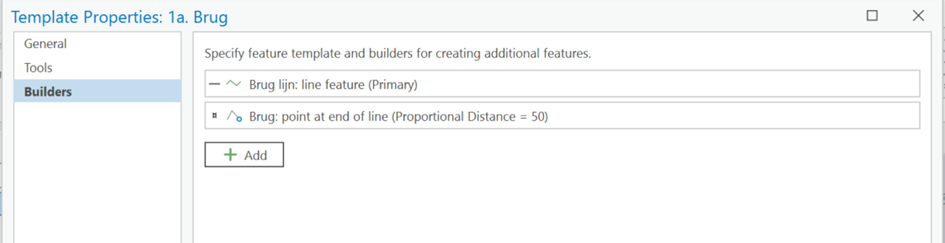
When I draw a new line object using this group template, the two builders get correctly drawn, but the evaluation result from various attribute rules do not appear in the attributes of the newly created features.
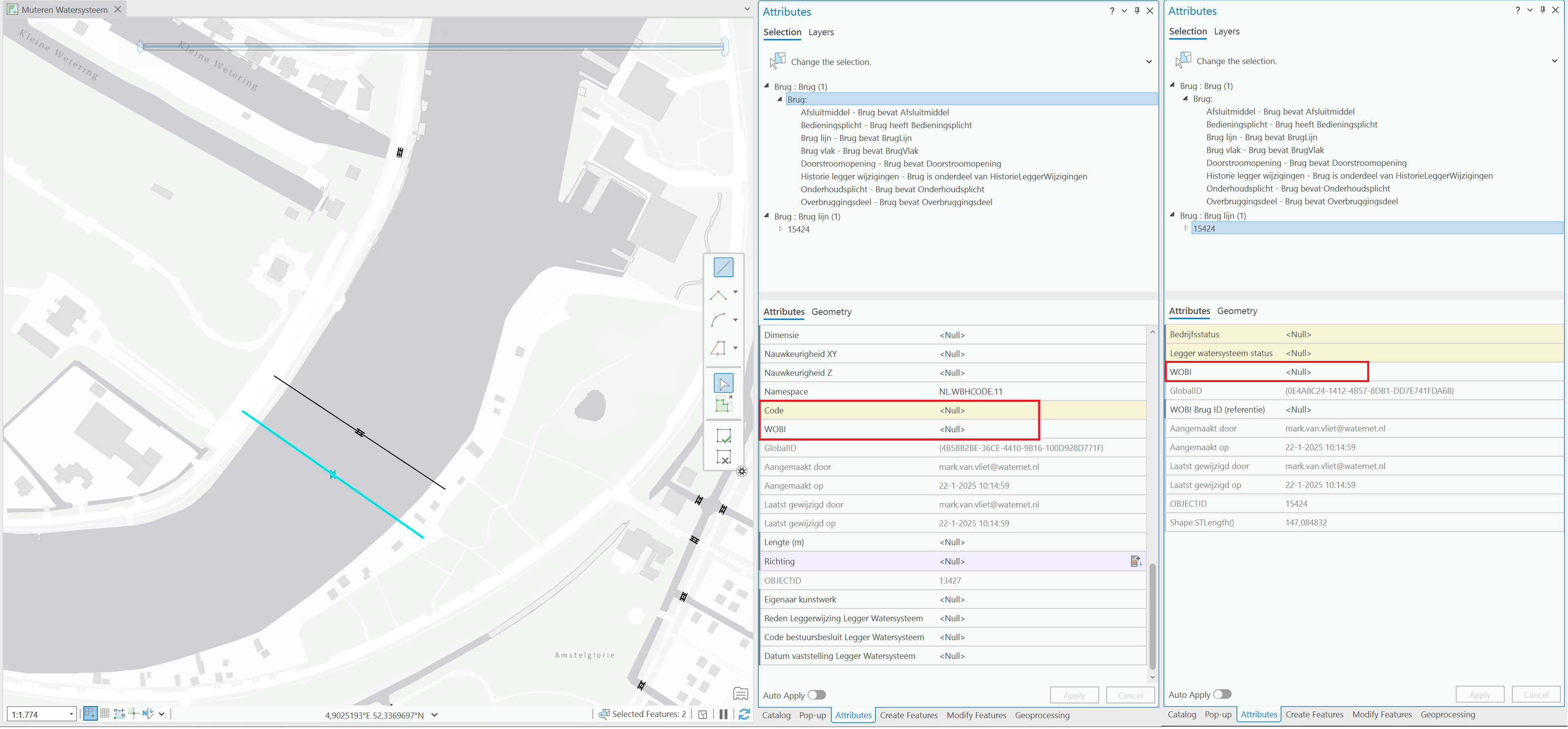
As shown in the picture below, the fields ‘Code’ and ‘WOBI’ on object Brug are Null, and field ‘WOBI’ on object Brug lijn is also Null. These fields should be filled with calculation attribute rules upon an insert.
However, the debug logging in the ArcGIS Server Manager from this feature service, does show that the associated attribute rules get triggered and seem to execute normally. As shown below.

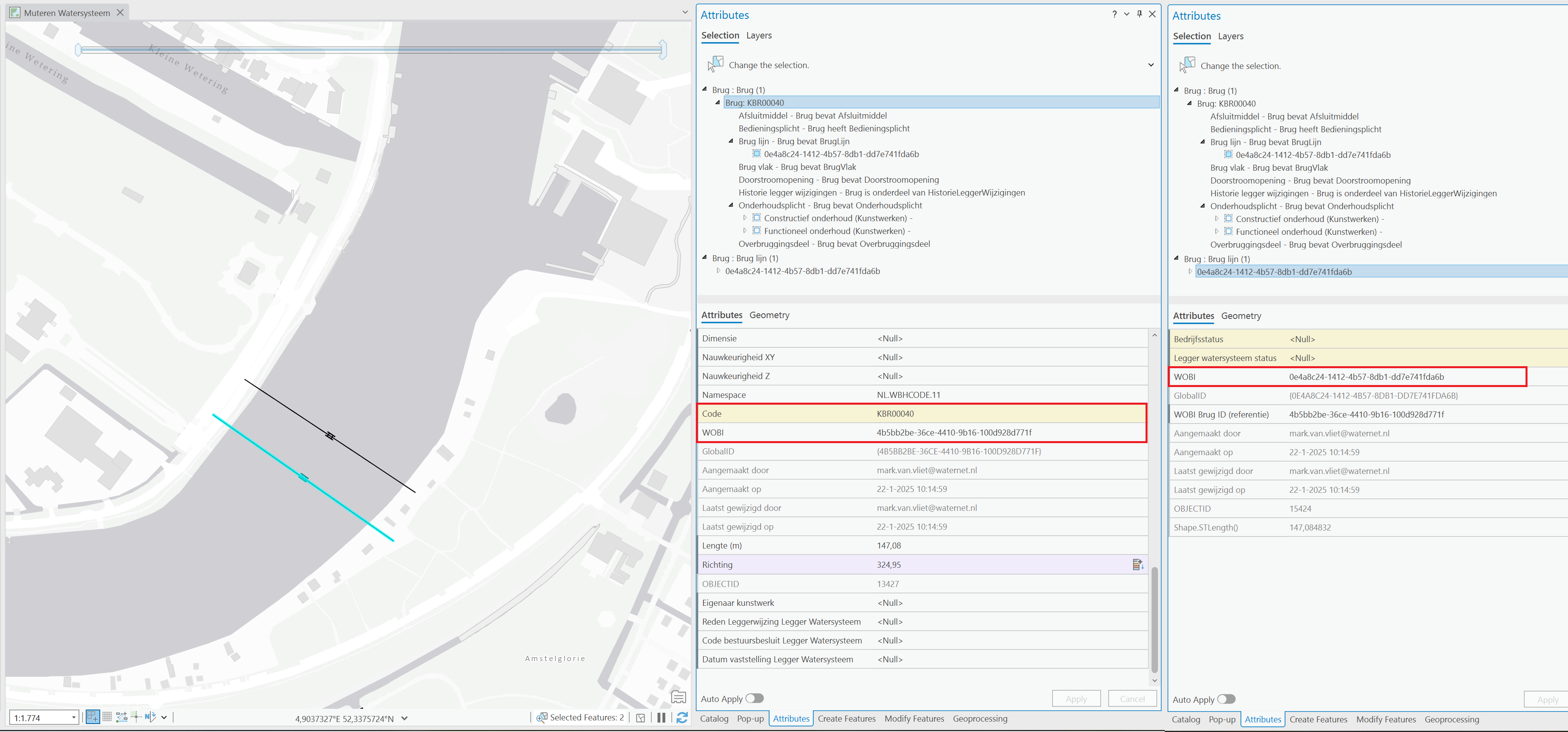
When I save the ArcGIS Pro project and restart ArcGIS Pro, and take a look at the just edited objects, all the necessarily fields are filled and do contain a value. I also tried refreshing the map/redraws features and did a refresh on the feature service connection in the datasource content pane. But both things did not make the calculated values visible, only restarting ArcGIS Pro works.
I’m curious if anyone in the community knows the cause. Thanks!
Likely some relevant things:
- All attribute rules are excluded from client evaluation.
- Editing happens on a Branch versioned feature service with editing capabilities.
- The logged in user has the necessarily licensing on ArcGIS enterprise (Creator + Advanced Editing + ArcGIS Pro Standard license)
- ArcGIS Pro 3.3.1
- ArcGIS Enterprise 11.3
- Enterprise geodatabase (11.3.0.52636) on Microsoft SQL server


