I have a Web Map, where I am uploading images to be my icons. No matter what I do when I upload the images (by going to Change Symbol > Category > Added Styles > Uploaded Symbols), they always upload with 15% fill transparency and 50% outline transparency. These settings are greyed out and are not changeable--as shown below.
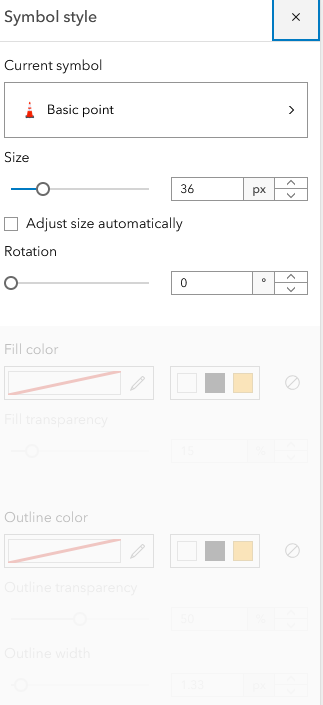
Is there anything I can do to have these images have 0% fill transparency and 0% outline transparency, as I do not want them to have the map show through them at all once they are used as icons? Thanks, everyone!





