We are in an Enterprise versioning environment: Pro 3.1.x, Parcel Fabric v5, Enterprise 9.1
One of the editors has documented the below described behavior. Apparently, this isn't the first or only time this has happened to one of our editors, the others are also reporting similar.
This editor's general workflow for correcting "dirty" and spatially incorrect parcels is to delete existing non-COGO features prior to building features using the Traverse tool.
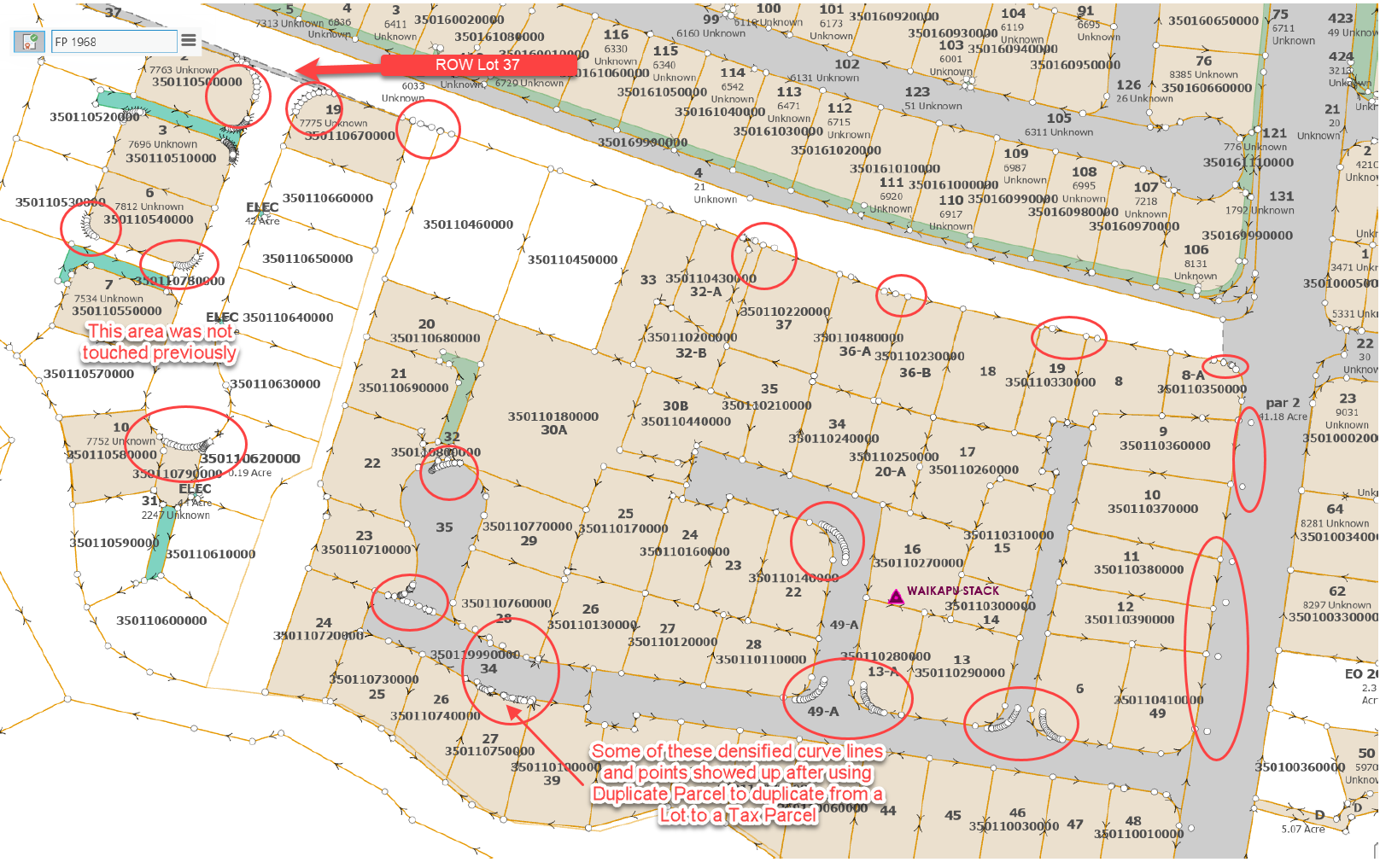
As can be seen, between duplicating Lots into Parcels and Building this one final Lot, there are now multiple bezier curves where there were none (those parcels/lots were previously COGO accurate) and also some 'ghost' points.
I can only presume that the disconnected points in the lower center of the second screenshot were probably from the original deleted features, as that is spatially approximately the placement of them prior to be deleted.
Is there some setting or tolerance or other explanation for this? Clearly this is not ideal and after carefully manually entering multiple parcels they will now need to go back and fix this.
- Deleted existing tax parcels, lots and encumbrances by selecting TPs and Lots and their Parcel Features
- Drew tax parcels individually with COGOs from supporting documents using Traverse
- Duplicated TPs into Lots using Duplicate Parcels tool
- Drew Encumbrances individually with COGOs from supporting documents using Traverse
- Screen shot prior to drawing ROW Lot 37
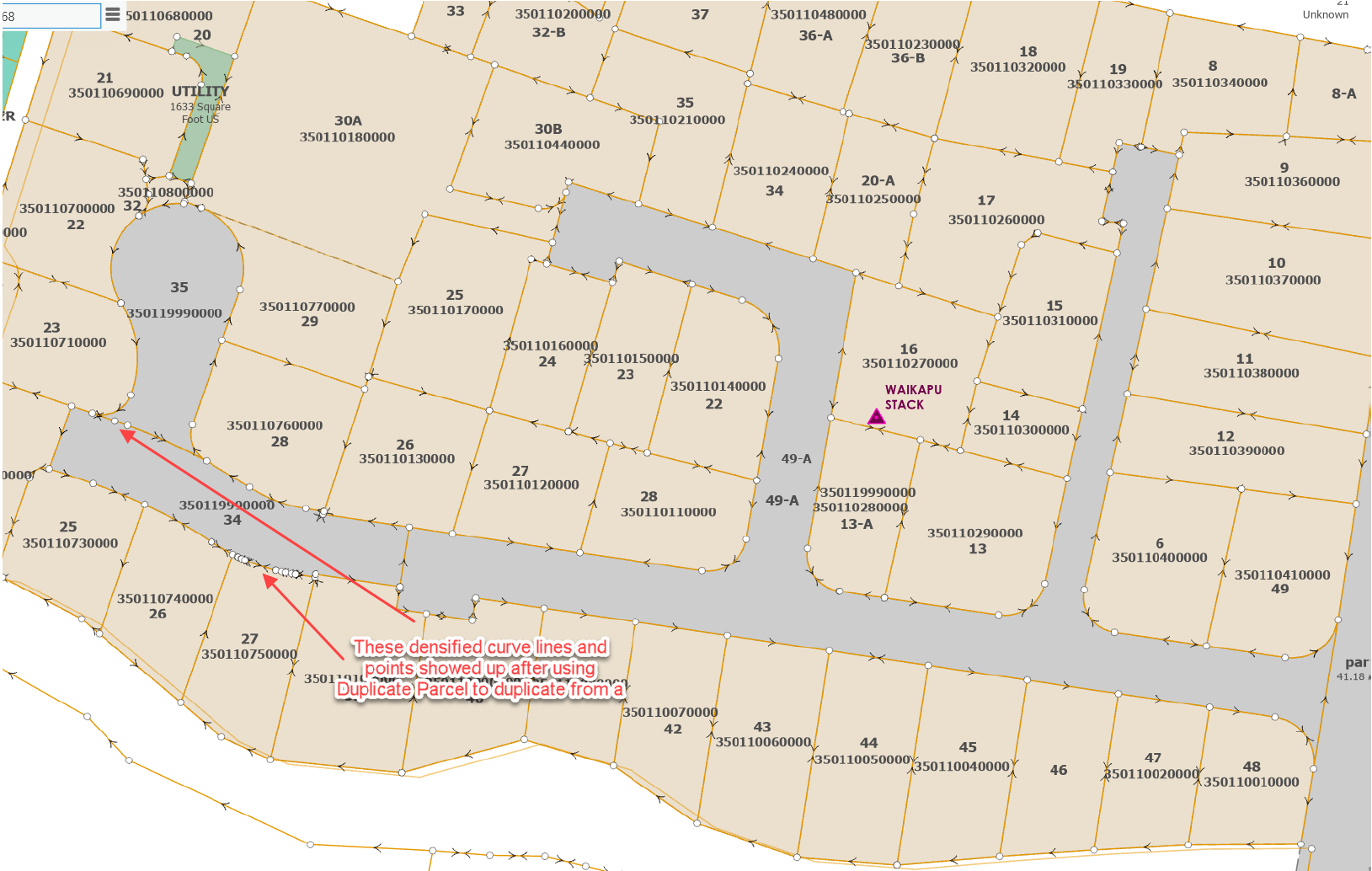
- Drew ROW Lot 37 using Traverse
- Screen shot after create seed and build. Densified curve lines and points appeared