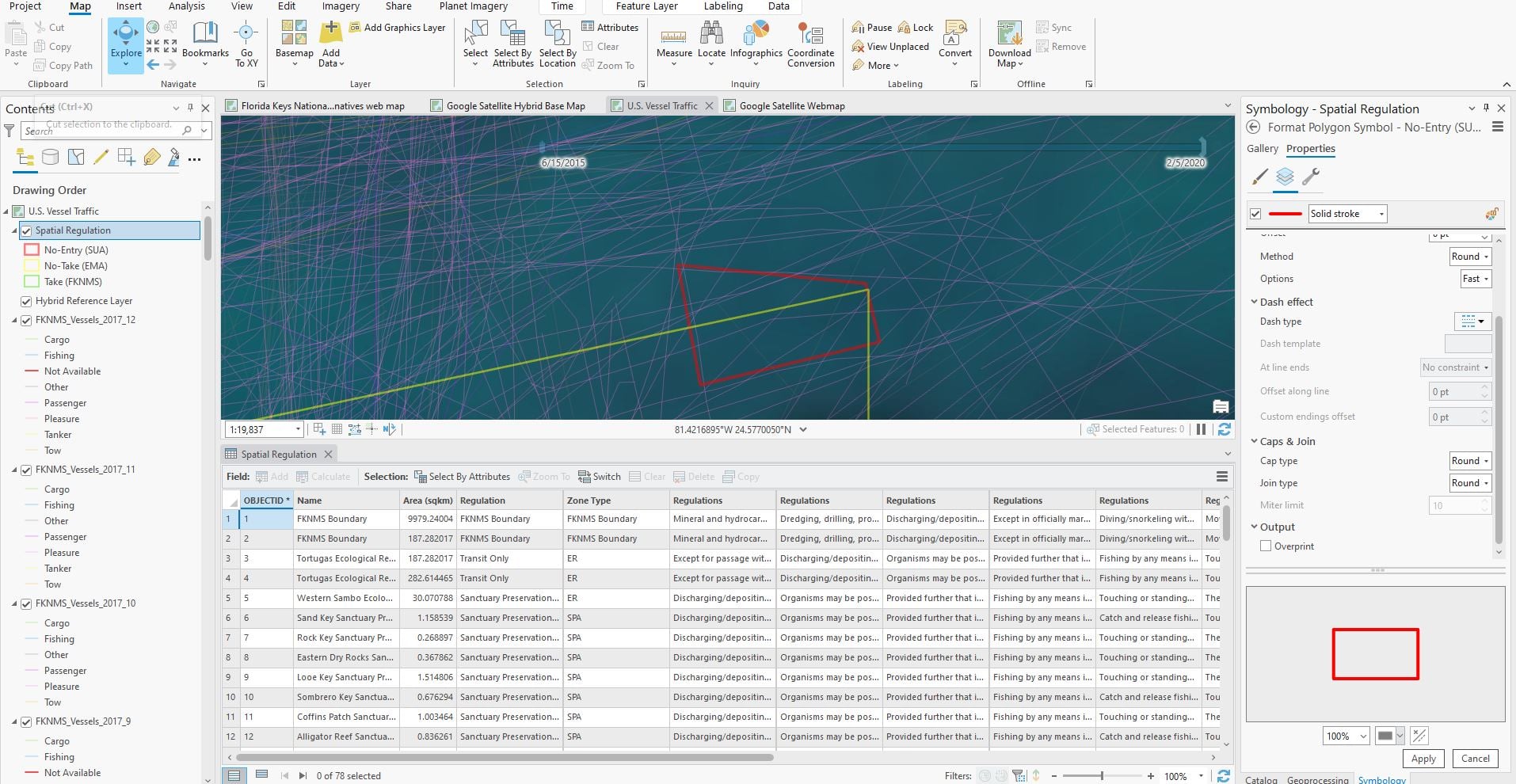
Hello! I am having trouble making one of the feature classes within a feature layer overlap another feature class. Normally, this would be pretty easy to do just by changing the symbology; however, both of these feature classes are outlines. I've also considered pairwise intersects, masking tools, erase tools, and more, but those tools only seem to apply from one feature layer to another. This feature layer is "Spatial Regulations" on the contents pane. I want the "No-Entry (SUA)" feature class to overlap the "No-Take (EMA)" feature class entirely.
Does someone know how I can remove or essentially "erase" the yellow outline boundary within the red outline boundary in this image? To be clear, I need the yellow outline to basically just be invisible underneath the area within the red outline. I would like it to be visible still outside of it. Ideally, I'd like to keep both of these polygons fully intact, but I just want the yellow to "pass under" the red polygon where the yellow polygon outline just won't display within the red polygon's boundary. Does that make sense?