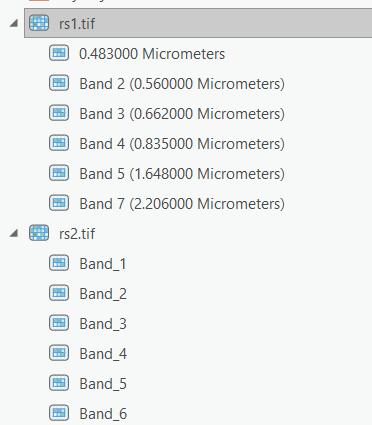
I have created a multiband raster from multiple single-band raster images using the Imagery Tab > Raster Functions > Data Management > Composite Bands tool and exported it as raster (rs1.tif). Then I tried to rename its bands in the Catalog panel by right-clicking the first band and renaming it in the Catalog panel but it didn't work. The original name (0.483000 Micrometers) always came back.
Does anyone know why and how to solve it? I have zipped and uploaded the rs1.tif here.
Interestingly, when the multi-band raster image was created (rs2.tif) using the Geoprocessing panel (Data Management Tools > Raster > Raster Processing > Composite Bands), it was allowed to rename individual bands simply by right-clicking the band and renaming it in the Catalog panel.