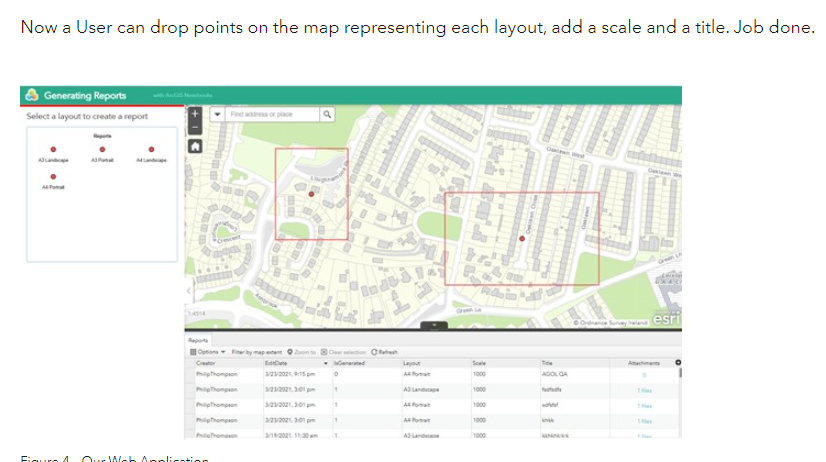
Hello,I'm trying to follow this methodology: https://www.esri-ireland.ie/en-ie/resource-centre/we-talk-tech/printing-custom-layouts-from-arcgis-online to print custom layouts using only available OOTB tools in an ArcGIS Organization Account.I'm curious to know how the author was able to create a feature template that creates a rectangle polygon with the point (primary geometry) as the centroid.
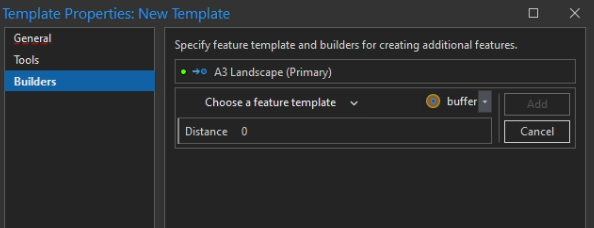
I'm playing around with managing templates - creating group templates - with point as the primary geometry and the only option when choosing a builder is a buffer (which creates circular buffer from the point).
Any ideas?
You can do it using preset templates, where you define the geometry based on an exisitng feature. How To: Create a Polygon Feature Template with a Predefined Geometry in ArcGIS Pro (esri.com)Edit: unfortunately I just realized that this is only available in Pro and does not translate to ArcGIS Online or Portal.
I don't think you can do this with OOTB group templates but using 2 geoprocessing tools, you can create the square buffer. It's a start that you can read about here.
Angemeldete Mitglieder können Beiträge verfassen, Updates folgen und mehr. Neu hier? Registriere ein kostenloses Konto.
Find useful guides, FAQs, and documents to help you navigate and make the most of Esri Community.